28 of 36
Indesit Company
Service Manual UK English
PROGRAMMING METHODS EXPLAINED
METHOD 2 - SMARTCARD - SUITABLY QUALIFIED PERSONS ONLY
If the Power Module has been replaced, it will require programming using the following method.
1. Disconnect the appliance from the electricity supply.
2. Connect the Low End Adaptor version 2007 to the module.
(See “Connecting the Low End Adaptor” on page 30)
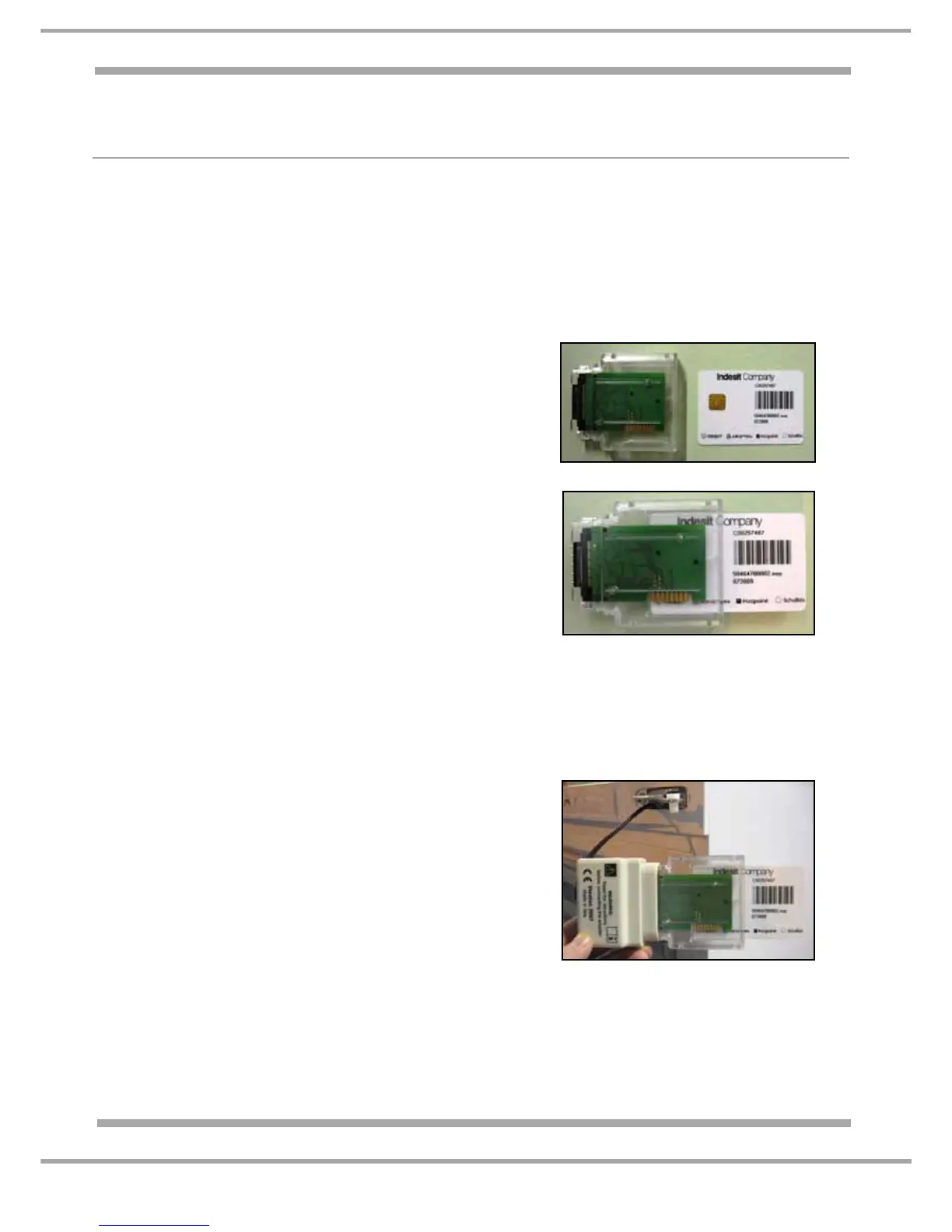
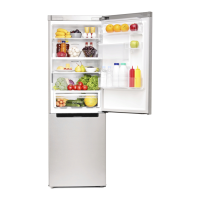
3. Insert the SmartCard into the Card Reader. Care must be taken at this point to ensure that the
Chip on the SmartCard enters & faces the PCB of the reader first. See Photo 4 & 4a.
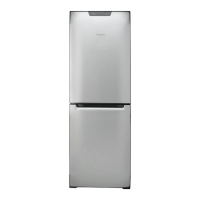
4. Connect the Smart Card Reader into the Low End
Adaptor. Ensure the Hardware key is correctly
orientated before inserting into the Low End adaptor
(there are locating guides on the Hardware key to
assist you).
NOTE: The Hardware Key may require firm pressure
to fully connect to the Low End Adaptor.- See photo 5.
5. Connect the appliance to the Electrical supply,
The LED's on the Smart Card Reader will light in this
sequence:
a. Red ON: Good Communication between Smart Card
Reader & Card. See also Note 1 below.
b. Red OFF; Green Blinking: Download taking place.
c. At end, Green ON = Download OK, module
programmed, Red ON = Download NOT OK.
6. Disconnect the appliance from the electricity supply.
7. Remove the Smart Card, Reader and Low End
Adaptor from appliance.
8. Reassemble and make appliance safe.
9. Connect the appliance to the Electrical supply.
Note 1.
a If the Red LED is flashing SLOWLY, and a smartcard
is inserted, check for the following:
• Blank/erased smartcard (previously used),
• Incorrectly inserted smartcard (check orientation of
smartcard chip)
• Poor connection between the smartcard and
smartcard reader.
Refer to photo 4 - 4a above.
bIf the Red LED is flashing RAPIDLY, check for the
following:
• Ensure a smartcard has been inserted into the
smartcard reader,
• Ensure the smartcard has been fully inserted?
Refer to photo 4a above.
Photo 4
Photo 4a
Photo 5


 To Next Page