AutomaticRoasting
Auto Roastusesthe temperatureprobe to cook to
Just
as in conventional roasting, only tender roasts
the desired serving temperature. Unlike Temp
should be Auto Roasted until specified internal tem-
Cook, which
usesa single power level,Auto Roast
peraturesarereached.Lesstenderroasts
should be
is designed to use up to 3 power settings which
microwaved by time, according to the Cookbook
automatically switch during roasting, for even and
which comes with your oven. Complete information
tender cooking results without overcooking.
on preparing
Cookbook.
~~~~~~~~~
RoastsforAutoRoasting
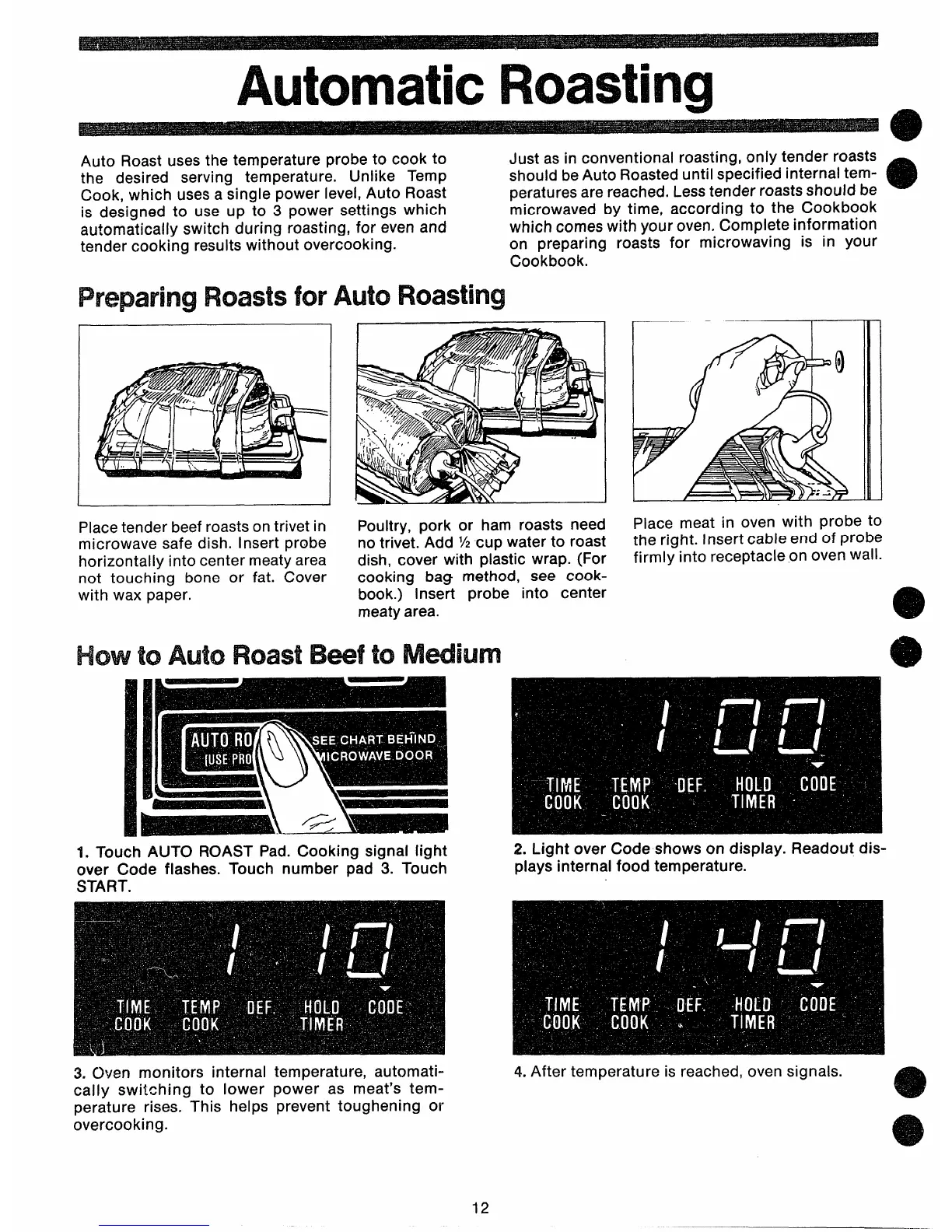
Place tender beef roasts on trivet in
microwave safe dish. Insert probe
horizontally into center meaty area
not touching bone or fat. Cover
with wax paper.
Poultry, pork or ham roasts need
no trivet. Add % cup water to roast
dish, cover with plastic wrap. (For
cooking bag method, see cook-
book.) Insert probe into center
meaty area.
Howto AutoRoastBwf to Mdium
roasts for microwaving is in your
Place meat in oven with probe to
the right. Insert cable end of probe
firmly into receptacle on oven wall.
1. Touch AUTO ROAST Pad. Cooking signal light
over Code flashes. Touch number pad 3. Touch
START.
2. Light over Code shows on display. Readout dis-
plays internal food temperature.
3. Oven monitors internal temperature, automati-
cally switching to lower power as meat’s tem-
perature rises. This helps prevent toughening or
overcooking.
4. After temperature is reached, oven signals.
12



 To Next Page