Removal and Replacement Procedures
Maintenance and Service Guide 5–37
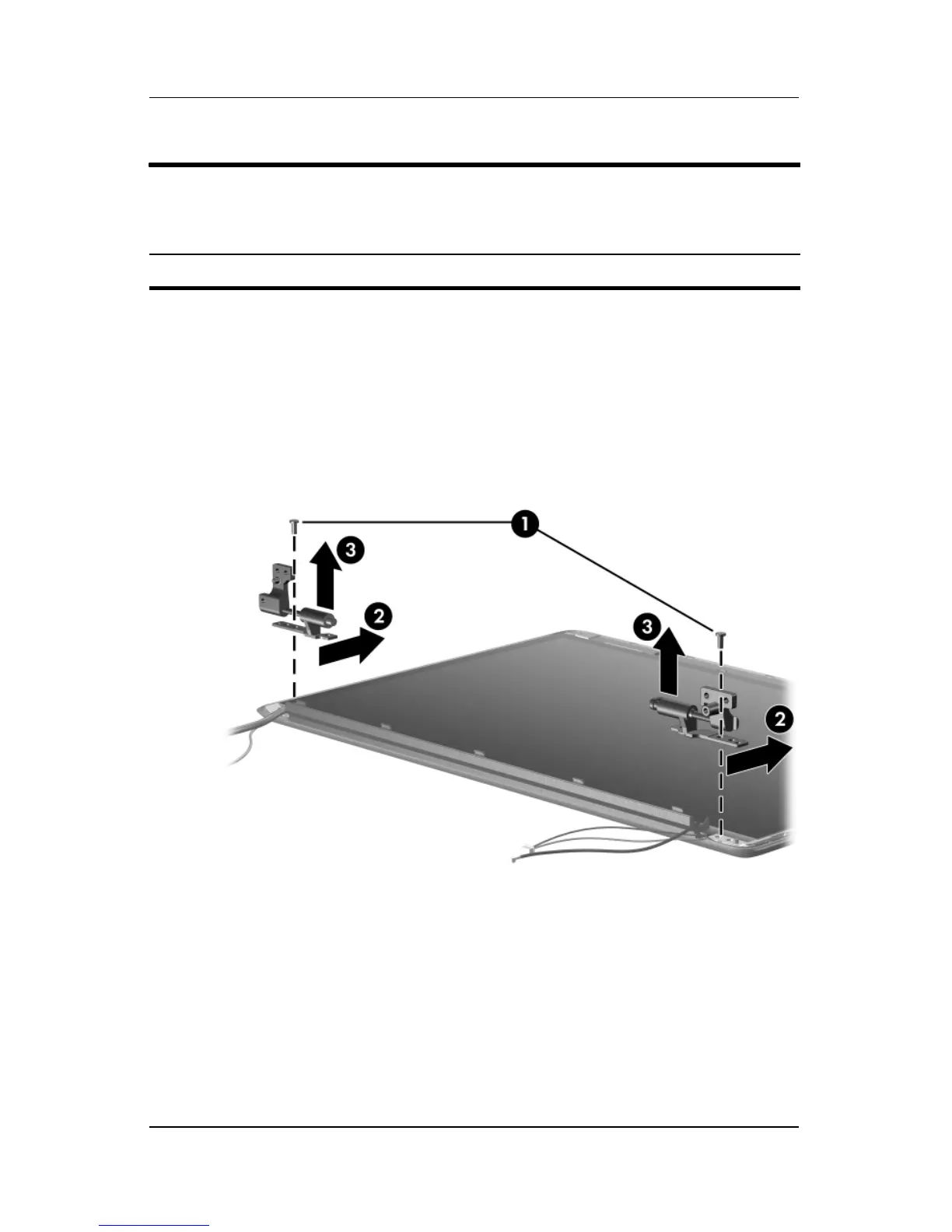
18. Remove the black Phillips PM2.5×5.0 screw 1 that secures
each hinge to the display enclosure.
19. Slide the hinges 2 back to release them from the display
enclosure.
20. Remove the display hinges 3.
Removing the Display Hinges
Display Assembly Subcomponents
Spare Part Number Information
Display Hinge Kit 417103-001



 To Next Page