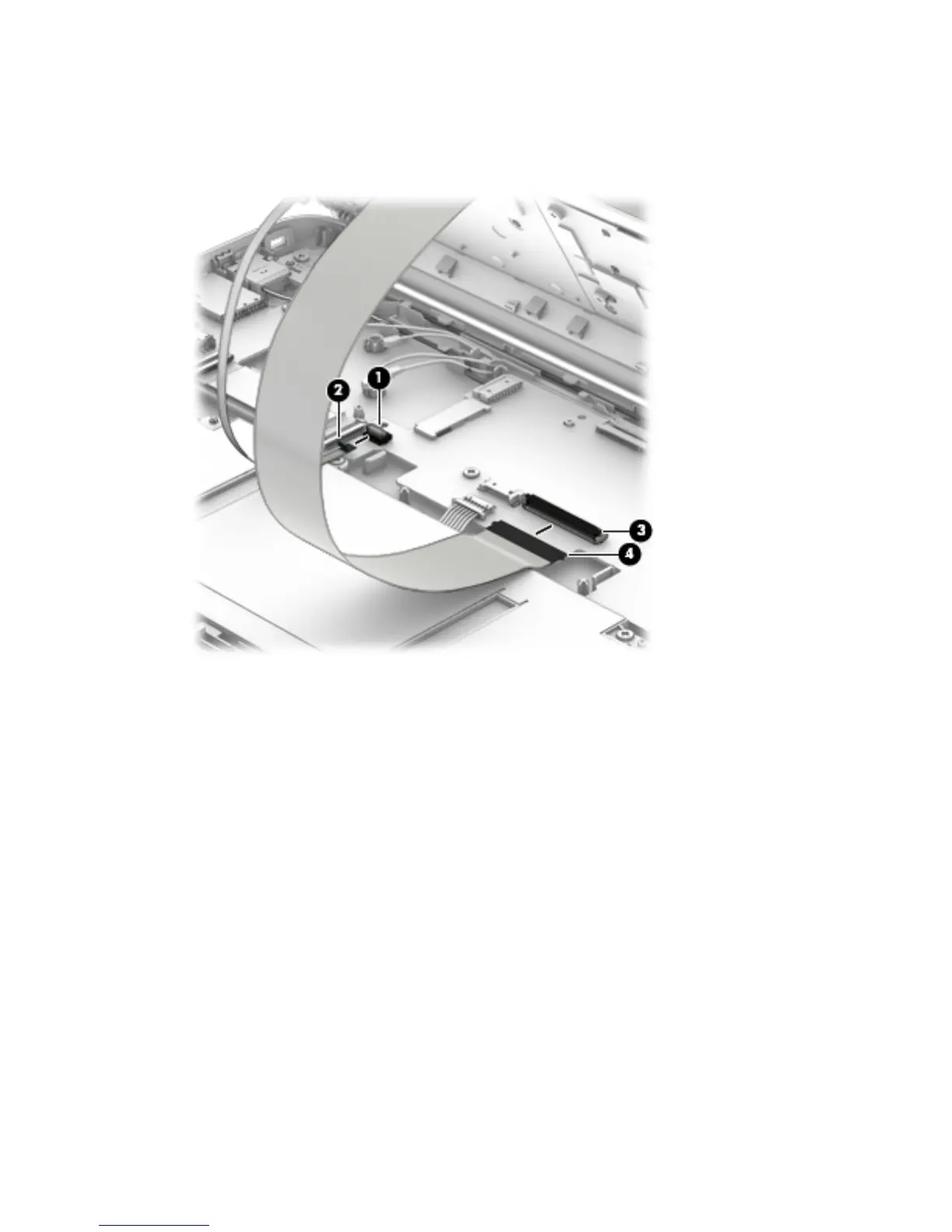
9. Release the zero insertion force (ZIF) connector (1) to which the TouchPad cable is attached, and then
disconnect the TouchPad cable (2) from the system board.
10. Release the ZIF connector (3) to which the keyboard cable is attached, and then disconnect
the keyboard cable (4) from the system board.
28 Chapter 5 Removal and replacement procedures





 To Next Page