Removal and Replacement Procedures
Maintenance and Service Guide 5–37
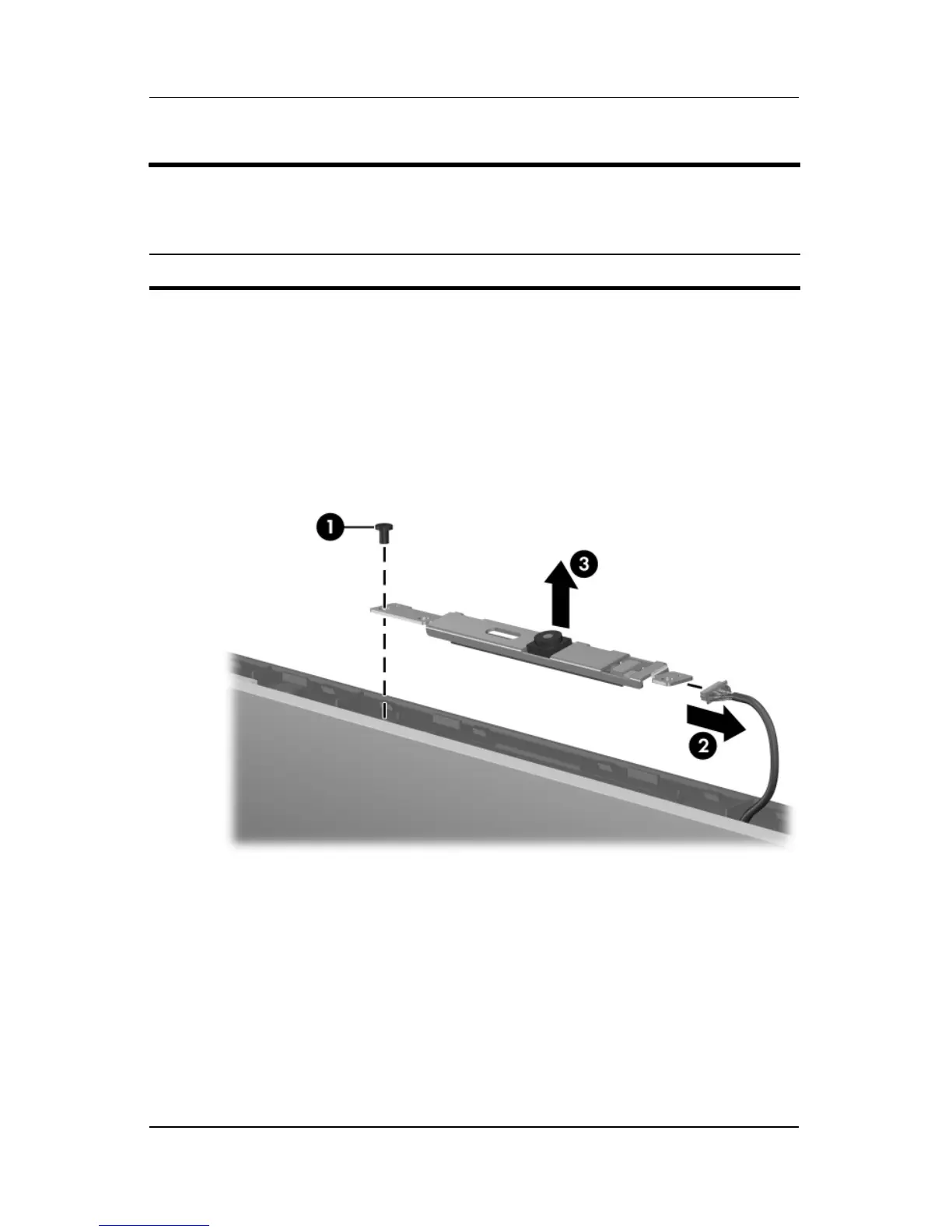
13. Remove the Phillips PM2.5×4.0 screw 1 that secures the
Web camera to the display enclosure.
14. Remove the display Web camera 2 from the
display enclosure.
15. Disconnect the camera cable 3 from the camera board.
Removing the Display Web Camera
Display Assembly Subcomponents
Spare Part Number Information
Web camera 417113-001



 To Next Page