12
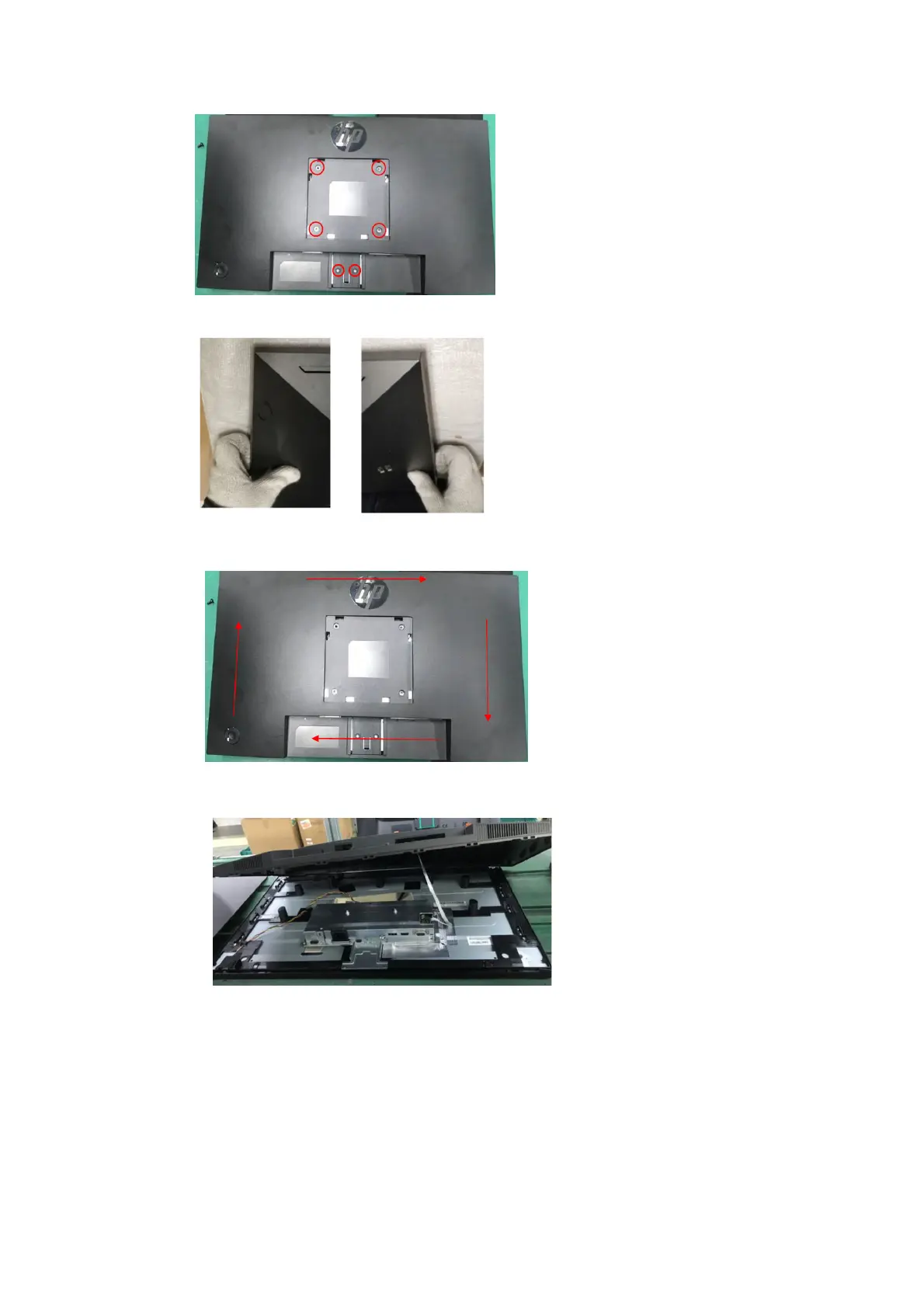
1) Remove six screw from the rear case.
2) Use your fingers to split the left and right sides apart between the middle frame and rear case.
3) Insert the scraper bar tool into the gap between the middle frame and rear case, and then rotate. The hook
opens. Repeat the steps.
4) Disassemble Rear Cover.
5) Remove the key board wire from the Interface-board.



 To Next Page