EasyManua.ls Logo

HP 3468A - Ranging and Display Reading

HP 3468A
114 pages
Print Icon
To Next Page IconTo Next Page
To Previous Page IconTo Previous Page
Loading...
Selecting
the
proper
range
on
the
3468A
may
be
done
either
automatically
by
the
multimeter,
or
manually
with
the
front
panel
keys.
The
fast
autoranging
in
the
3468A
provides
quick
bench
measurements.
|
Do
This
Short
the
3468A’s
input
terminals.
press:
Notice
that
the
M
RNG
annunciator
turns
on
in
the
display.
This
indicates
that
the
meter
is
in
the
manual
range
mode.
Pressing
this
key
again
returns
the
meter
to
the
autorange
mode.
press:
Press
each
of
these
keys
several
times.
Watch
the
decimal
point
as
it
[a]
OR
[~]
moves
across
the
display.
Also
notice
the
range
annunciator
in
the
display.
Try
this
in
all
the
measurement
func-
|
tion
modes
to
see
the
possible
range
|
displays.
The
display
is
always
read
directly
and
gives
an
indication
of
the
range
as
a
com-
bination
of
decimal
point
and
function
display.
Try
connecting
a
variable
dc
power
supply
to
the
multimeter.
Make
sure
that
the
meter
is
in
the
DC
volts
function
and
autorange
mode.
As
you
adjust
the
power
supply,
watch
the
display.
The
display
will
momentarily
go
blank
as
the
meter
changes
ranges.
You
might
see
a
reading
such
as
.047215
VDC.
Reading
the
display
directly,
this
would
indicate
a
measurement
of
47.215
milli-volts
dc.
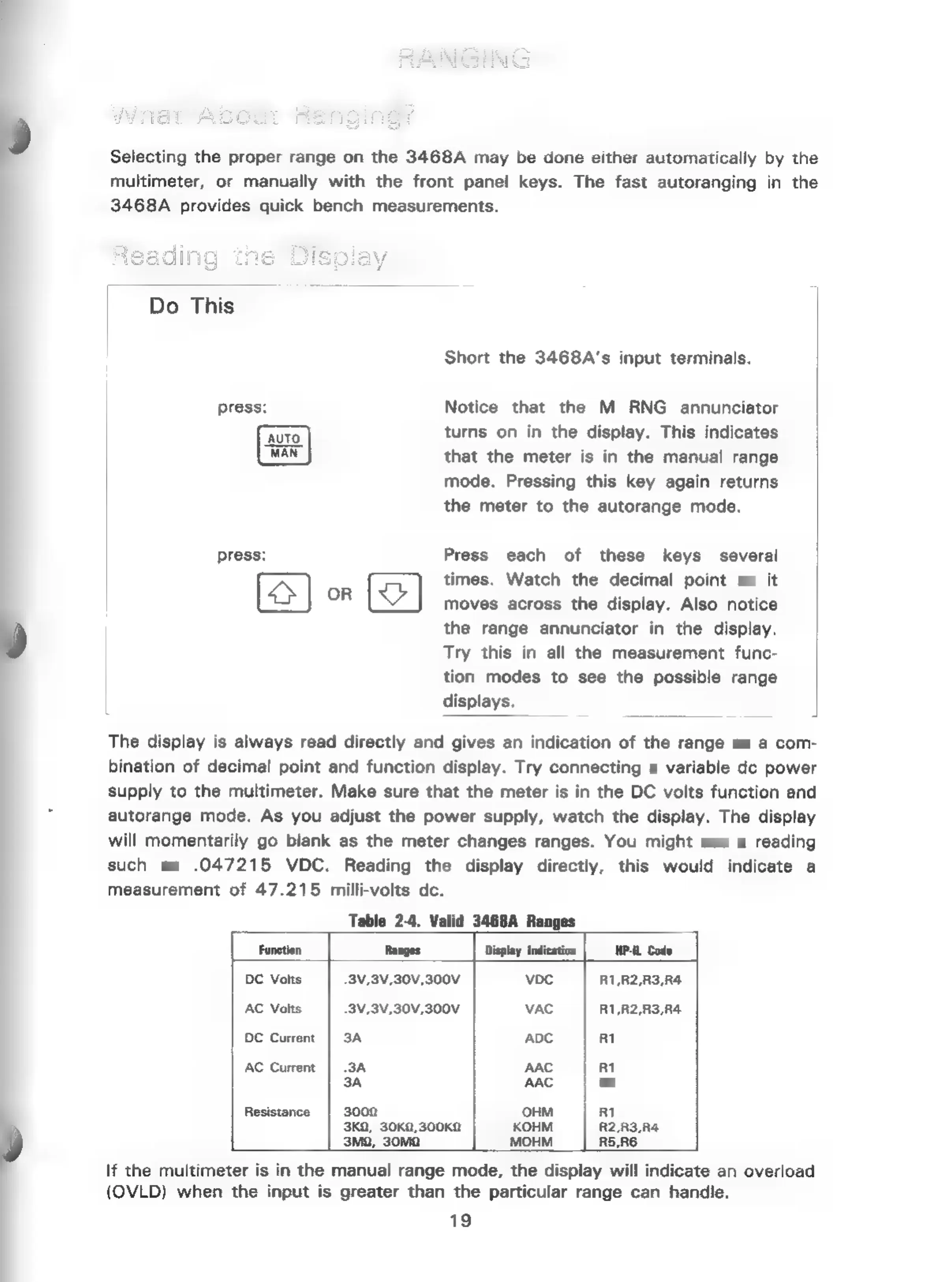
Table
2-4.
Valid
3468A
Ranges
Function
Ranges
Display
indication
HP-IL
Code
|
DC
Volts
.3V,3V,30V,300V
VDC
R1,R2,R3,R4
AC
Volts
-3V,3V,30V,300V
VAC
R1,R2,R3,R4
DC
Current
3A
ADC
R1
AC
Current
3A
AAC
R1
3A
AAC
R2
Resistance
3002
OHM
Ri
3KQ,
30K0,300Ka
KOHM
R2,R3,R4
3Ma,
30MQ
MOHM
RS,RE
If
the
multimeter
is
in
the
manual
range
mode,
the
display
will
indicate
an
overload
{OVLD)
when
the
input
is
greater
than
the
particular
range
can
handle.
19

Related product manuals