EasyManua.ls Logo

HP 3468A - Page 78

HP 3468A
114 pages
Print Icon
To Next Page IconTo Next Page
To Previous Page IconTo Previous Page
Loading...
SRO
(Cont'd)
Example
2.
Front
Panel
SRO
The
front
panel
SRO
feature
of
the
3468A
provides
you
with
a
way
of
manually
interrupting
the
controller
from
the
multimeter
front
panel.
This
feature
is
enabled
by
setting
bit
4
of
the
SRO
mask,
command
“M20”.
Once
this
is
done,
pressing
the
3468A
front
panel
SRO
key
causes
the
3468A
to
request
service
(SRQ)
from
the
controller.
The
SRO
annunciator
turns
on
in
the
display
until
the
controller
responds
by
doing
a
serial
poll
or
the
CLEAR
command.
The
following
program
shows
how
easily
this
can
be
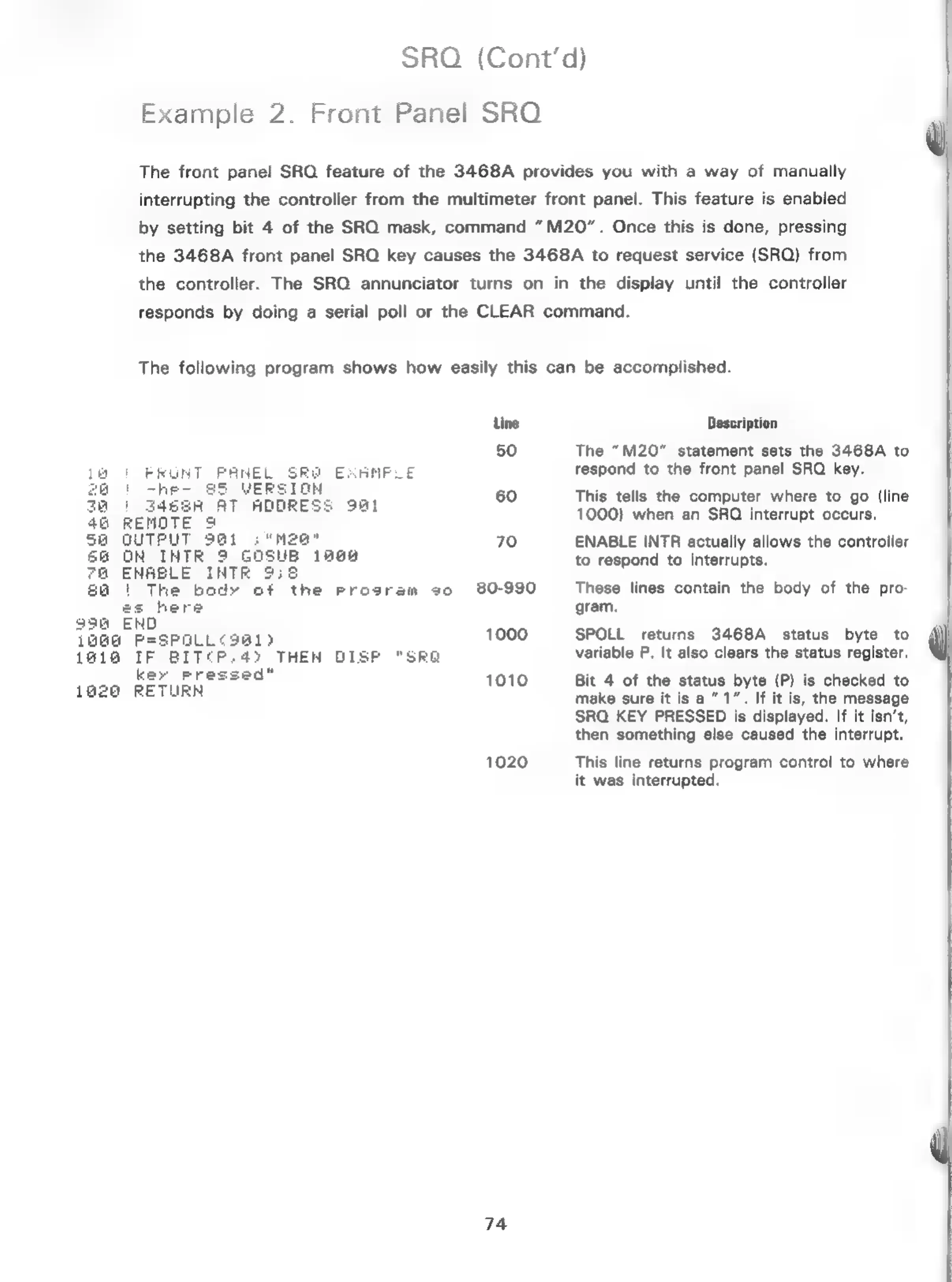
accomplished.
|
FRUNT PANEL
SRe
EXAMPLE
'
-he-
$5
VERSION
A
|
3463R
AT
ADDRESS
9at
46
REMOTE
9
Sa
QUTPUT
9@1
:
"Mea"
6@
ON
INTR
9
GOSUB
1868
7a@
ENABLE
INTR
958
68
1
The
body
of
the
Program
30
es
here
996
END
19G@
P=SPOLL¢3a1)
1410
IF
BIT¢P:.4)
THEN DISP
"SRG
key
Pressed"
1926
RETURN
Line
50
60
70
80-990
1000
1010
1020
74
Description
The
“M20”
statement
sets
the
3468A
to
respond
to
the
front
panel
SRQ
key.
This
tells
the
computer
where
to
go
(line
1000)
when
an
SROQ
interrupt
occurs.
ENABLE
INTR
actually
allows
the
controller
to
respond
to
interrupts.
These
lines
contain
the
body
of
the
pro-
gram.
SPOLL
returns
3468A
status
byte
to
variable
P,
It
also
clears
the
status
register.
Bit
4
of
the
status
byte
(P)
is
checked
to
make
sure
it
is
a”
1”.
If
it
is,
the
message
SRQ
KEY
PRESSED
is
displayed.
If it
isn’t,
then
something
else
caused
the
interrupt.
This
line
returns
program
control
to
where
it
was
interrupted.

Related product manuals