EasyManua.ls Logo

HP 3468A - Page 79

HP 3468A
114 pages
Print Icon
To Next Page IconTo Next Page
To Previous Page IconTo Previous Page
Loading...
SPOLL
Example
P=SPOLL
(01)
Comments
Serial
poll
allowS
you
to
determine
the
current
status
of
the
3468A.
When
the
3468A
receives
the
serial
poll
message,
it
returns
its
status
byte
(status
register).
Many
controllers
will
display
the
byte
as
the
sum
of
the
values
of
the
individual
bits
that
are
set.
If
bits
7
and
O
are
set,
for
example,
the
value
would
be
shown
as
129
(129
=
128+
1).
The
8
bits
of
the
status
byte
and
their
respective
values
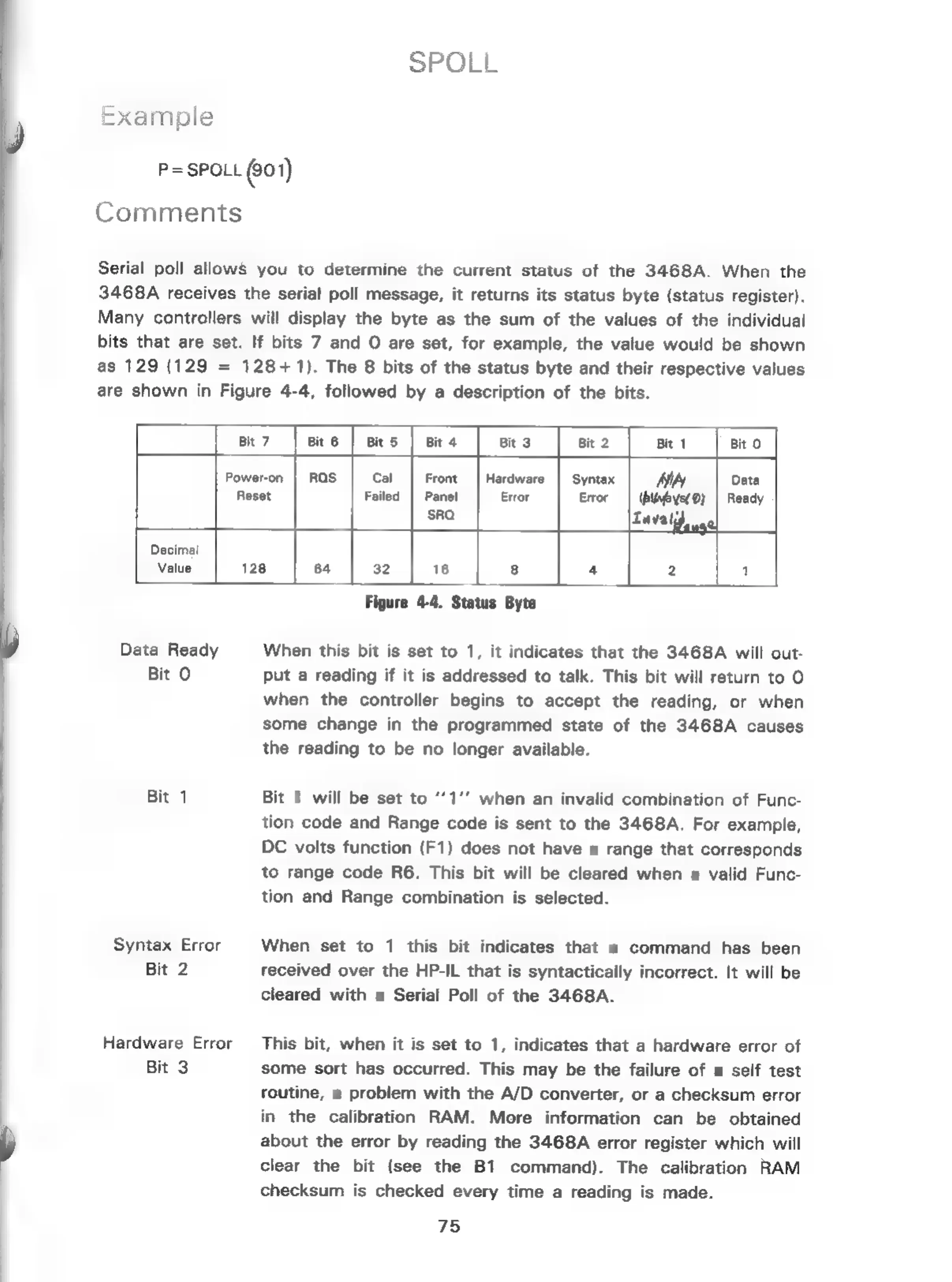
are
shown
in
Figure
4-4,
followed
by
a
description
of
the
bits.
Cal
Failed
Hardware
Error
Power-on
Reset
Decimal
Value
Figure
4-4.
Status
Byte
Data
Ready
When
this
bit
is
set
to
1,
it
indicates
that
the
3468A
will
out-
Bit
O
put
a
reading
if
it
is
addressed
to
talk.
This
bit
will
return
to
O
when
the
controller
begins
to
accept
the
reading,
or
when
some
change
in
the
programmed
state
of
the
3468A
causes
the
reading
to
be
no
longer
available.
Bit
1
Bit
1
will
be
set
to
“1”
when
an
invalid
combination
of
Func-
tion
code
and
Range
code
is
sent
to
the
3468A.
For
example,
DC
volts
function
(F1)
does
not
have
a
range
that
corresponds
to
range
code
R6.
This
bit
will
be
cleared
when
a
valid
Func-
tion
and
Range
combination
is
selected.
Syntax
Error
When
set
to
1
this
bit
indicates
that
a
command
has
been
Bit
2
received
over
the
HP-IL
that
is
syntactically
incorrect.
It
will
be
cleared
with
a
Serial
Poll
of
the
3468A.
Hardware
Error
This
bit,
when
it
is
set
to
1,
indicates
that
a
hardware
error
of
.
Bit
3
some
sort
has
occurred.
This
may
be
the
failure
of
a
self
test
.
routine,
a
problem
with
the
A/D
converter,
or
a
checksum
error
in
the
calibration
RAM.
More
information
can
be
obtained
\
about
the
error
by
reading
the
3468A
error
register
which
will
clear
the
bit
(see
the
B1
command).
The
calibration
RAM
checksum
is
checked
every
time
a
reading
is
made.
75

Related product manuals