1.
2.
3.
4.
5.
1.
2.
3.
a.
b.
c.
4.
a.
b.
5.
Figure 1
Installing an expansion blade adjacent to a half-
height server blade.
Figure 2
Installing a single expansion blade adjacent to a
full-height server blade.
Expansion blade population best practices for half-height server blades
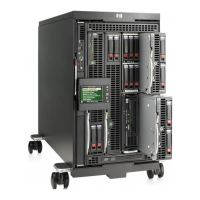
One half-height partner server blade supports one expansion blade (Figure 1).
Identify the partner server blade to be installed with the expansion blade. The two blades always occupy a pair of slots as
follows: 1 & 2, 3 & 4, 5 & 6, 7 & 8, 9 & 10, 11 & 12, 13 & 14, 15 & 16.
If the partner server blade is installed in an odd-numbered bay, the expansion blade is installed in the adjacent even-numbered
bay to the right.
If the partner server blade is installed in an even-numbered bay, the expansion blade is installed in the adjacent odd-numbered
bay to the left.
Each c7000 zone contains a removable divider that is used to support half-height devices. This divider is remains installed
whether the half-height devices are server or expansion blades.
Expansion blade population best practices for full-height server blades:
One full-height partner server blade supports one or two expansion blades. Figure 2 shows installation of one expansion blade.
Identify the partner server blade to be installed with the first expansion blade. The two blades always occupy a pair of slots, as
follows: 9 & 10, 11 & 12, 13 & 14, 15 & 16.
The partner server blade is installed in an odd-numbered bay. The first expansion blade is installed on the lower row of the
enclosure in an even-numbered bay (slots 10, 12, 14 or 16) adjacent to the partner server blade.
If only a single expansion blade is installed:
A half-height server blade may be installed in the empty bay directly above the expansion blade; this server blade cannot
be partnered with the expansion blade. A coupler bracket is installed on the expansion blade. A coupler bracket is not
installed on the server blade. A coupler bracket is included with each expansion blade.
If no device is desired in the empty bay above the expansion blade, a device bay blank is installed.
The upper half-height server blade or device bay blank must be removed before removing the lower expansion blade.
If a second expansion blade is installed:
It is always located directly above the first installed expansion blade. A coupler bracket is installed on the lower expansion
blade. A coupler bracket is not installed on the upper expansion blade. A coupler bracket is included with each expansion
QuickSpecs
HP BladeSystem c7000 Enclosure
Server Blade, Expansion Blade, and Fan Population Guidelines
DA - 12810 Worldwide — Version 52 — December 10, 2013
Page 38


 To Next Page
 Loading...