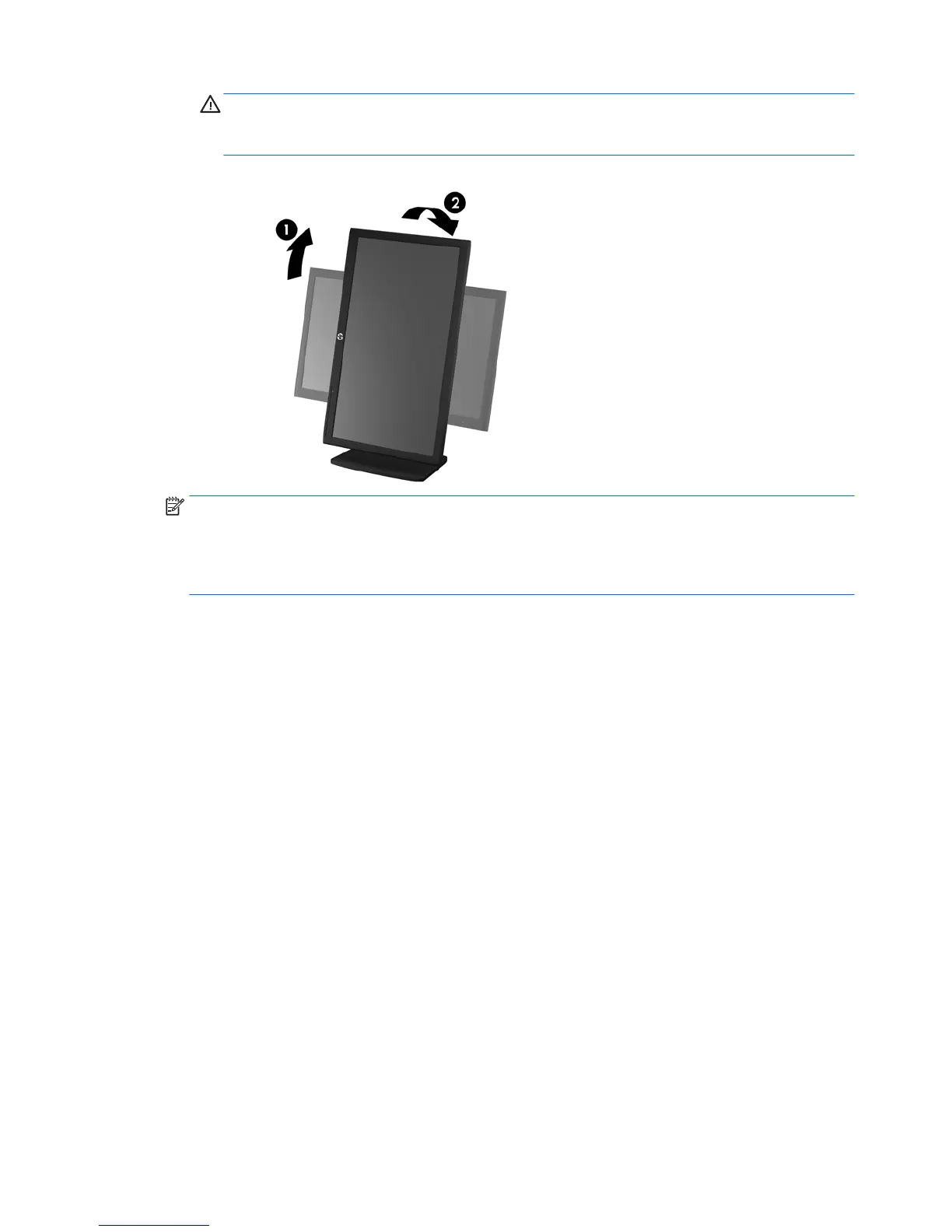
CAUTION: If the monitor is not in full-height and full-tilt position when pivoting, the bottom
right corner of the monitor panel will come in contact with the base and potentially cause
damage to the monitor.
Figure 3-8 Pivoting the monitor
NOTE: To view information on the screen in portrait mode, you can install the HP Display
Assistant software included on the software and documentation disc. The position of the OSD
menu can also be rotated to portrait mode. To rotate the OSD menu, access the OSD menu by
pressing the Menu button on the front panel, select OSD Control from the menu, and then select
Rotate OSD.
10 Chapter 3 Setting up the monitor


 To Next Page
 Loading...