Introducing the switches | 11
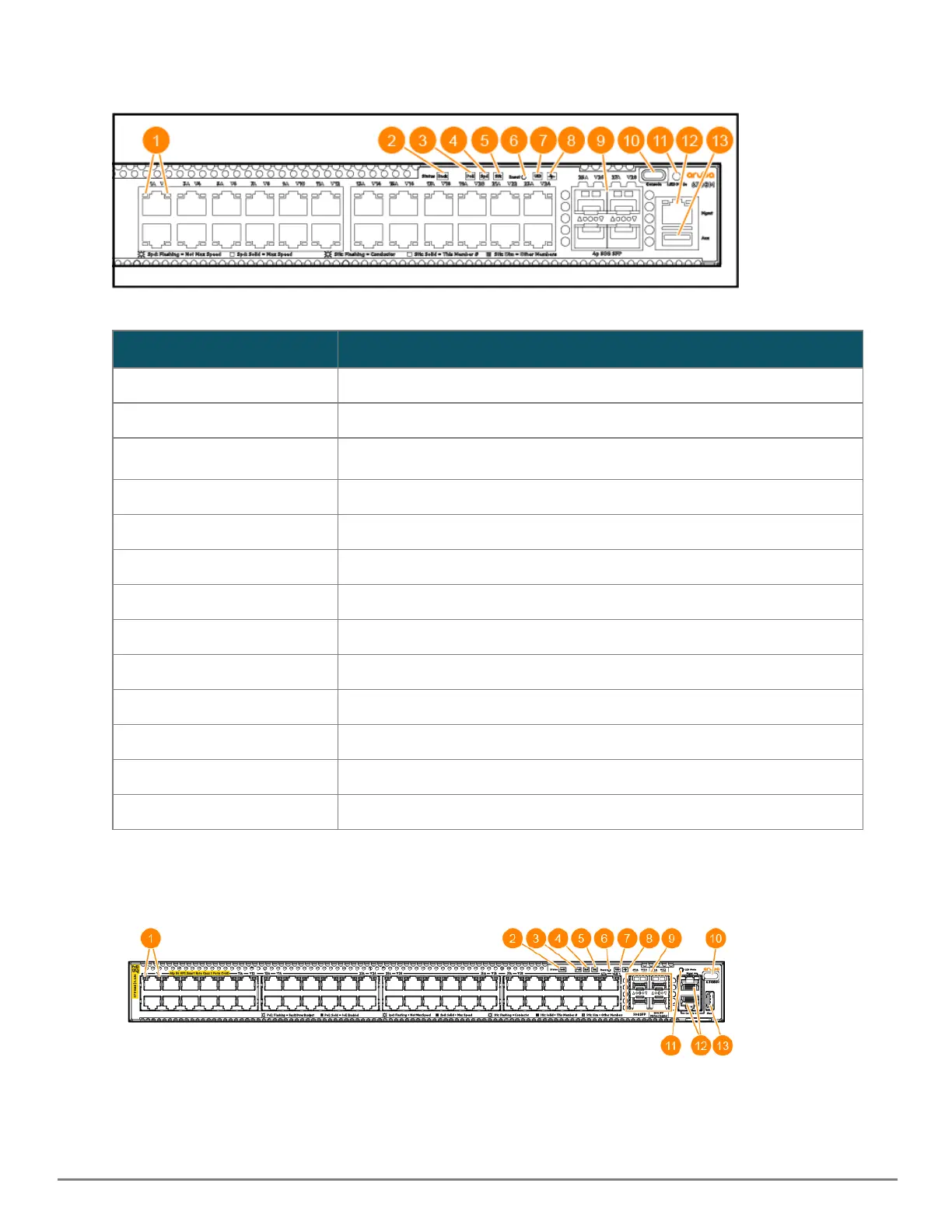
Figure 2 Example of 6300 Switch: JL658A, JL659A, JL660A, JL661A, JL662A, JL663A, JL664A, JL665A, JL666A, JL667A,
JL668A
Label Description
1 Switch Port LEDs
2 Back Module status LED
3 PoE LED
1
4 Speed LED
5 Stk LED
6 Reset button
7 Unit Identification LED
8 Global Status LED
9 SFP56 ports
10 USB-C Console
11 LED Mode button
12 RJ-45 console port
13 USB/auxiliary port
Table 2: 6300 Switches: Labels and Description
1
PoE Mode LED is present only on switch models that support PoE.
Figure 3 Example of 6300 Switch: R8S89A, R8S90A, R8S91A, R8S92A, S0E91A, S0X44A










 To Next Page