HPE Aruba Networking CX 6300 Switch Series | Installation and Getting Started Guide 22
Label Description
2 Power supply LED
NOTE: On DCpower supplies, these LEDs are located
near the bottom of the power supply.
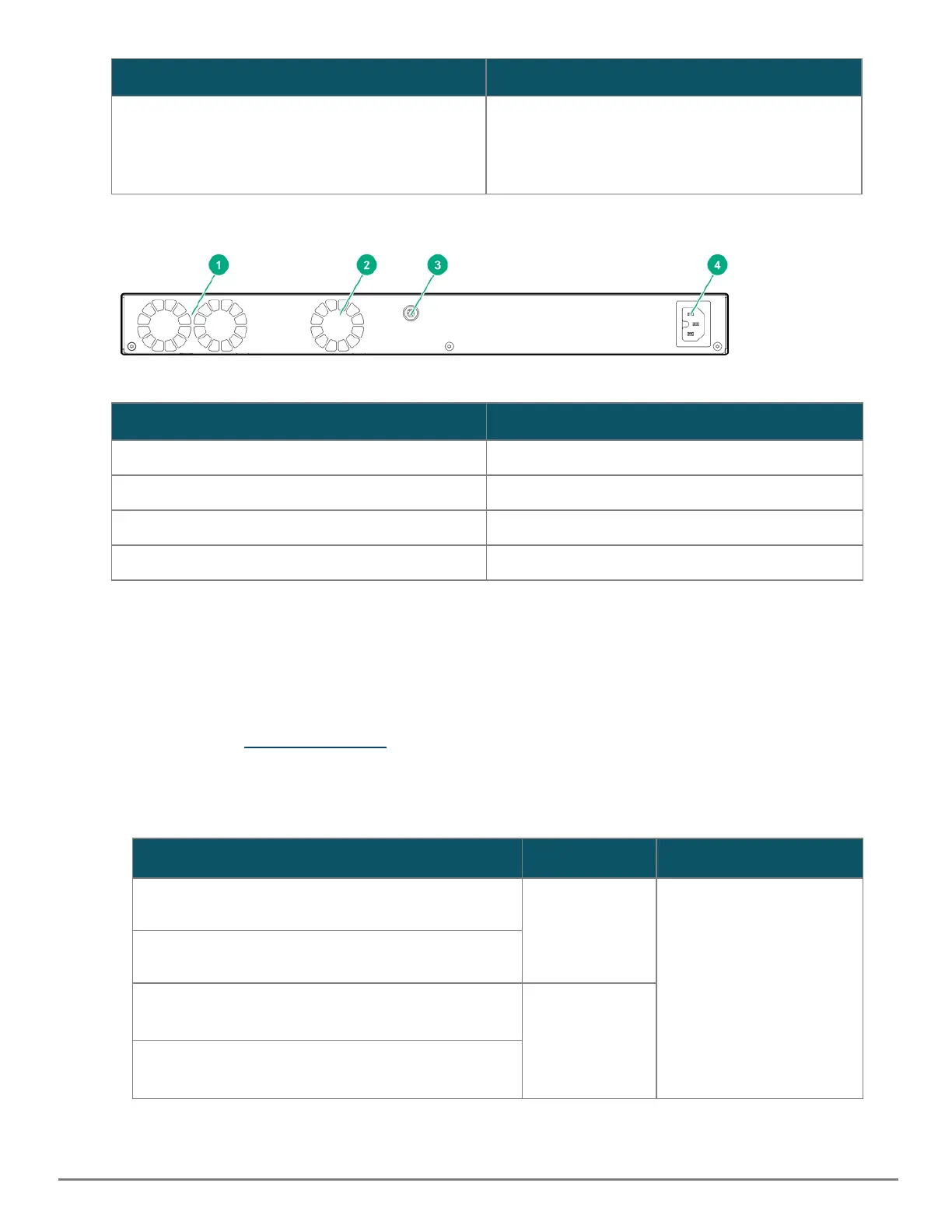
Figure 8 LEDs on the back of 6300F switch
Label Description
1 System fan
2 Integrated power supply fan
3 Ground lug (optional)
4 AC power inlet
Table 11: Back of the 6300F switches LED labels and description
Switch features
The features of the CX 6300 Switch Series include:
n Combinations of fixed 10/100/1000-T, HPE Smart Rate, and SFP/SFP+/SFP56/QSFP28 ports.
n Selected switch models feature HPE Smart Rate ports and provide 1 Gbps, 2.5 Gbps, 5 Gbps, and 10 Gbps
connectivity. See Cabling Specifications for more information.
n JL762A features power-to-port (back-to-front) airflow, ideal for data center applications.
n Power over Ethernet (PoE) operation; enabled by default. The following switches power IP phones, wireless
access points, indoor web cameras, and more.
HPEAruba Networking 6300F/M switch PoE per port Standard
Aruba 6300M 48G Class 4 PoE and 4-port SFP56 Switch
JL661A
Up to 30W IEEE 802.3af/at
Aruba 6300M 24G Class 4 PoE and 4-port SFP56 Switch
JL662A
Aruba 6300F 48G Class 4 PoE and 4-port SFP56 Switch
JL665A
Up to 30W
Aruba 6300F 24G Class 4 PoE and 4-port SFP56 Switch
JL666A










 To Next Page