Replacing components | 43
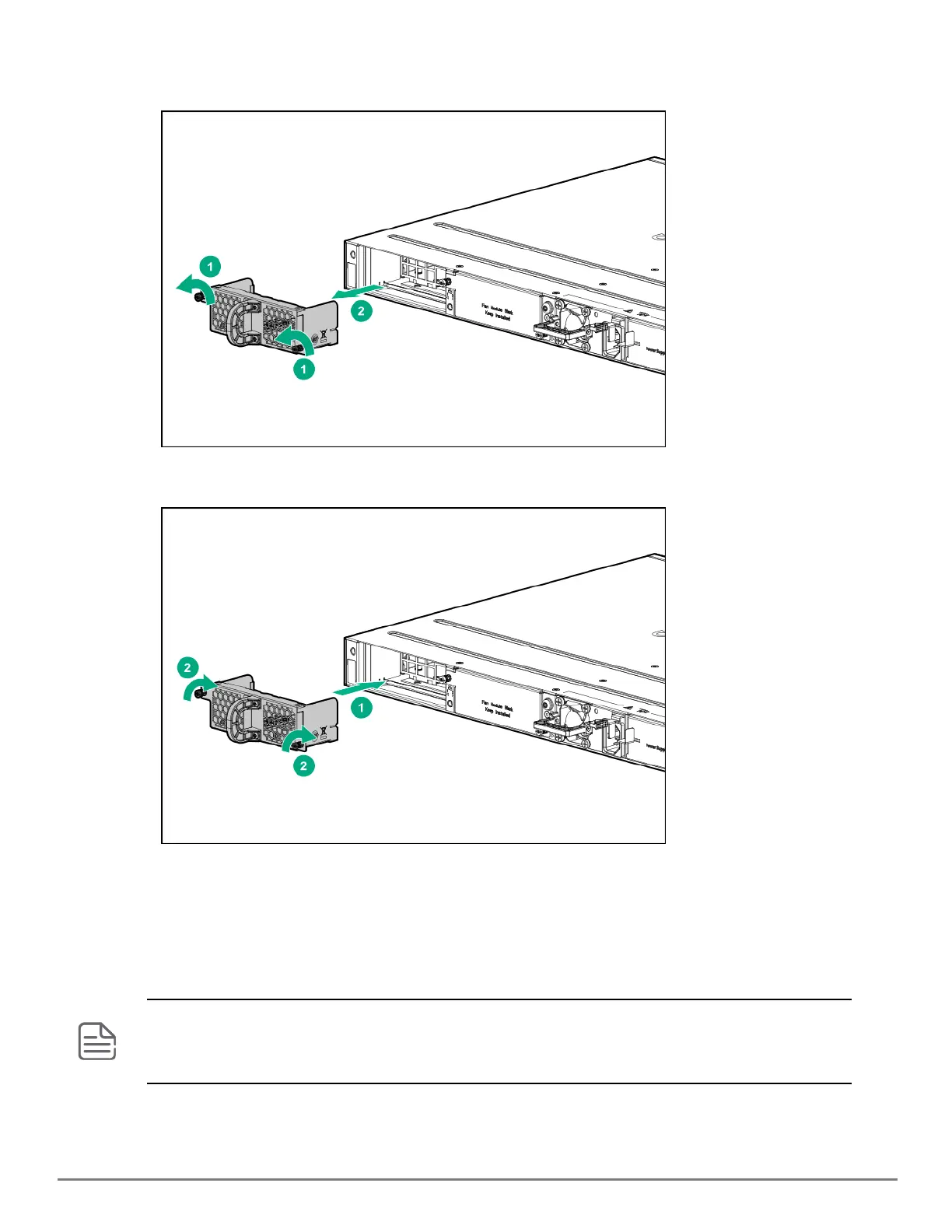
1. Loosen the T10 screws by turning counter clockwise.
2. Grasping the pull handle of the failed fan, remove the component.
3. Insert the new fan by sliding the component all the way.
4. Tighten the T10 screws by turning them clockwise.
Replacing the power supply
If the switch is configured with redundant power supplies, the switch will not suffer any loss of traffic or performance
if one power supply fails. Replace the failed component as soon as possible. The PS (Power Supply) LED will flash
simultaneously with the switch Fault LED indicating a power supply has failed.
JL762A (HPEAruba Networking 6300M 48G Pwr2Prt 2F 1PS Bdl) has power-to-port (back-to-front) airflow and requires
JL760A (HPEAruba Networking X371 12VDC 250W 100-240VAC Power-to-Port Power Supply). Other 6300M power
supplies are not supported in the JL762A switch. All other 6300 switches have port-to-power (front-to-back) airflow;
JL760A power supply is not supported in any other 6300M switch other than the JL762A.










 To Next Page