HPE Aruba Networking CX 6300 Switch Series | Installation and Getting Started Guide 37
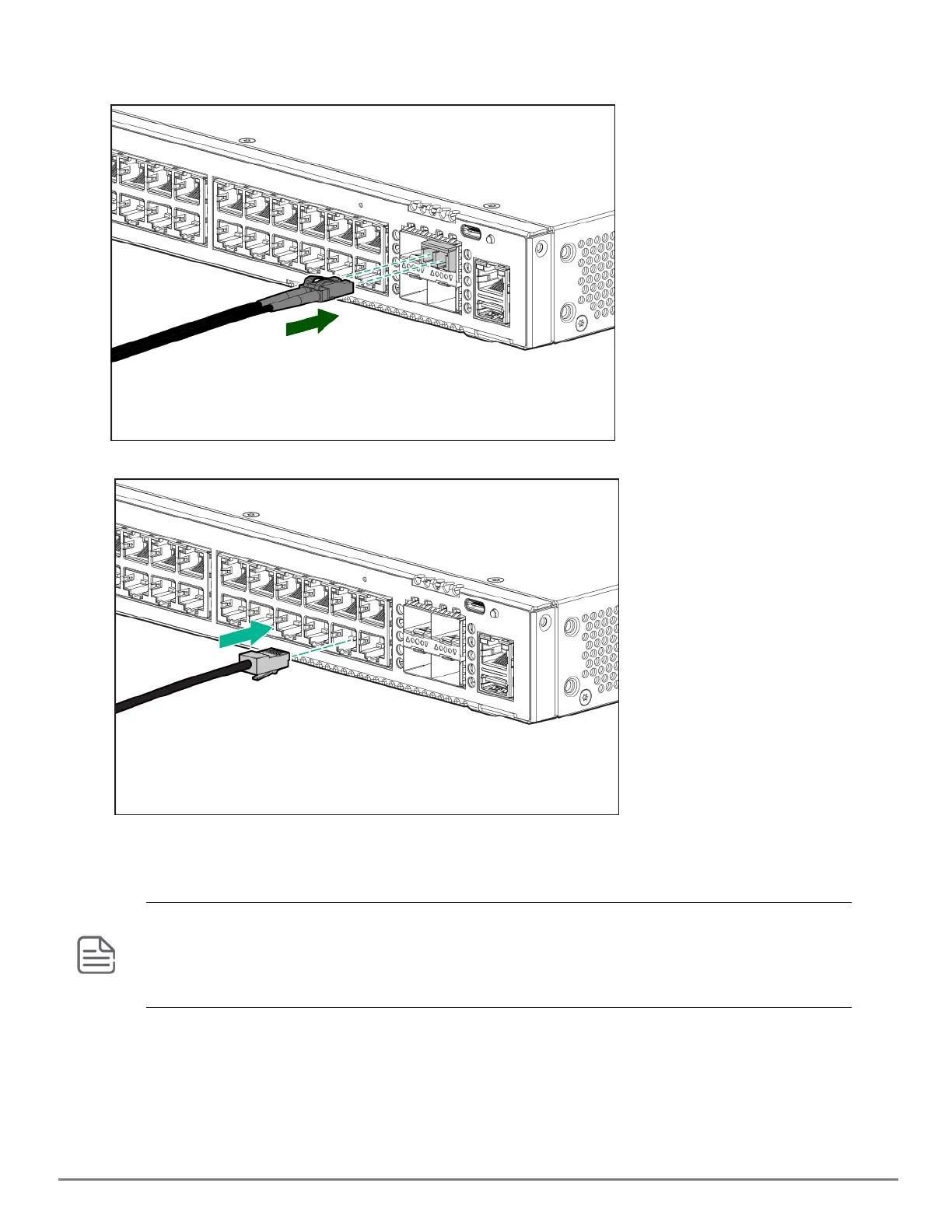
Connect network cables from network devices or your patch panels to the fixed RJ-45 ports and to any installed
transceivers.
Connect network cables to the RJ-45 data ports and to any optional transceivers installed on the switch front panel.
SFP/SFP+/SFP28/SFP56 installation notes
When selecting a fiber SFP/SFP+/SFP28/SFP56 device, make sure it can function at a maximum temperature that is not
less than the recommended maximum operational temperature of the product. Use only an approved Class 1 Laser
Product SFP/SFP+/SFP28/SFP56 transceiver.
To ensure proper operation of your switch, use only the HPE Aruba Networking SFP/SFP+/SFP28/SFP56 transceivers
supported by your switch.
Use only supported HPEAruba Networking SFP/SFP+/SFP28/SFP56 transceivers
Non-HPEAruba Networking SFP/SFP+/SFP28/SFP56 transceivers are not supported. Use of supported HPEAruba
Networking products ensures that your network maintains optimal performance and reliability. If you require
additional transceivers, contact an HPEAruba Networking sales representative or an authorized reseller. The
following resources can help you to find transceiver support information for your switch model:










 To Next Page