HPE Aruba Networking CX 6300 Switch Series | Installation and Getting Started Guide 18
The state of the switch port LEDs is controlled by the LED Mode select button. The current view mode is indicated by
the mode LEDs next to the button. To step from one view mode to the next, press the button to cycle through the
different modes.
Reset buttons
The Reset button is recessed from the front panel. (This design protects it from being pushed accidentally.) The
button is accessible through small holes on the top of the front panel. Use pointed objects, such as unbent paper
clips, to push it.
To Accomplish
this:
Do this: This will happen:
Soft reset Press and release the Reset button. The switch operating system is cleared
gracefully. The switch then reboots and
runs self-tests. Configuration information
and user logs from before the reboot are
preserved (show event -a).
Hard reset Press and hold the Reset button for more
than 5 seconds, then release.
The switch reboots, similar to a power
cycle. A hard reset is used, for example,
when the switch CPU is in an unknown
state or not responding. Configuration
information and user logs from before the
reboot are preserved (show event -a).
Out-of-band management port
This RJ-45 port is used to connect a dedicated management network to the switch. To use it, connect an RJ-45
network cable to the management port to manage the switch through Telnet from a remote PC or a UNIX
workstation.
To use this port, the switch must have an IP address. IP settings can be configured through a console port
connection or automatically from a DHCP/Bootp server.
A networked out-of-band connection through the management port allows you to manage data network switches
from a physically and logically separate management network.
For more information, see the Fundamentals Guide for your switch, found on the HPENetworking Support Portal.
Back of the switches
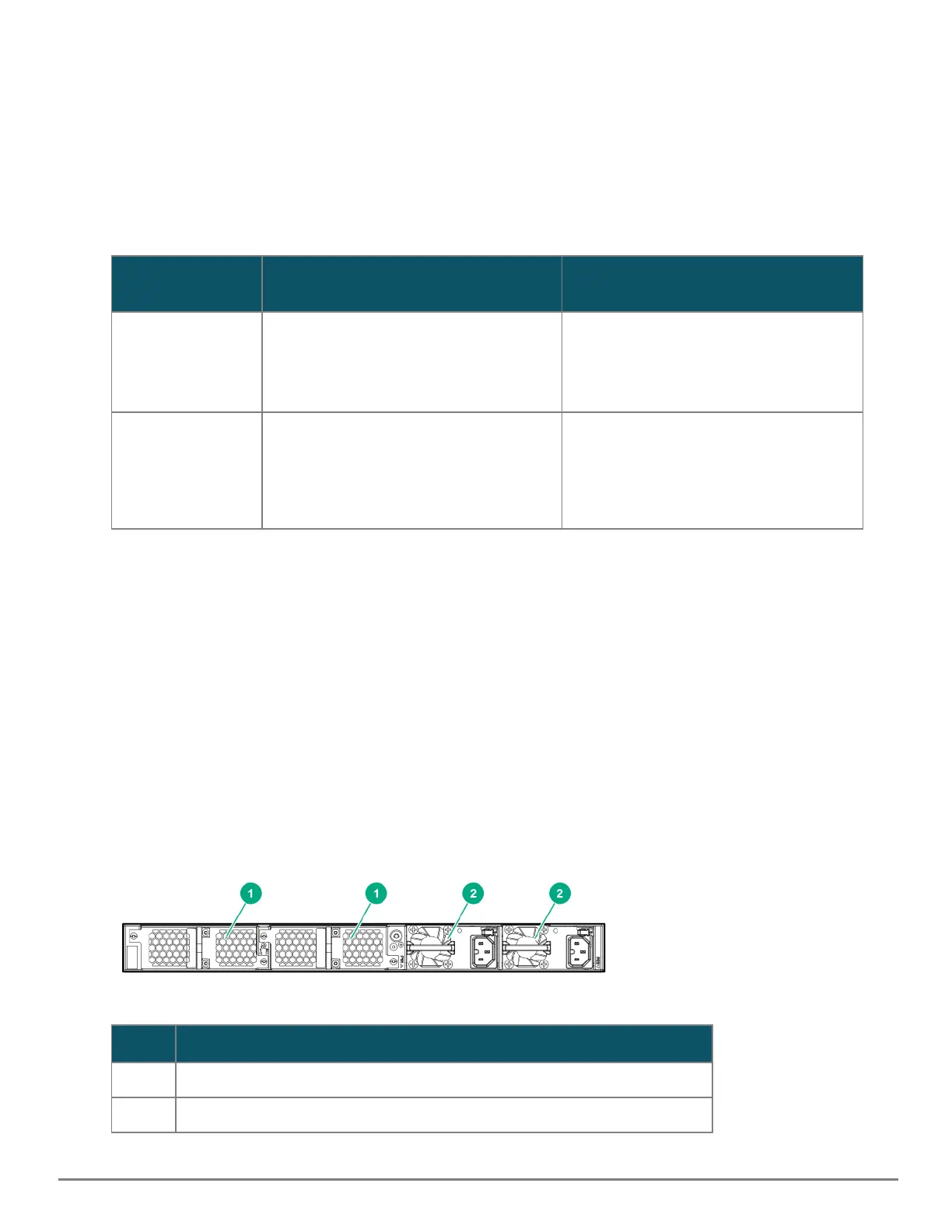
Figure 6 Back of the 6300M Switch
Label Description
1 Fan tray 1 & 2
2 Power supply slot 1 & 2
Table 9: Back of the 6300 Switch: Label and Description










 To Next Page