Installing the switch | 36
The four-post rack mount for the switches requires the optional J9583A HPE X410 Universal Rack Mounting Kit. To
use this kit to mount a switch, see the installation instructions provided with the kit.
Connect the switch to a power source
For AC power supplies: Plug the included power cord into the power connector on the switch and into a nearby AC
power source.
For DC power supplies: Use the supplied DC power cable with the DC power supply. Follow the instructions in Install
a power supply or a second power supply for modular switches to connect and install the DC cable to the power
supply and DCpower source.
When powered by a DC power supply, the product relies upon the installation to provide short-circuit
(overcurrent) protection. Ensure that the protective device is not greater than 20A for non-PoE switches and
not greater than 40A for PoE switches when using DC power.
Make sure the power source is properly grounded before connecting power to the power supply.
Warning: A readily accessible two-pole disconnect device must be provided in the fixed installation.
Recheck the LEDs during self-test.
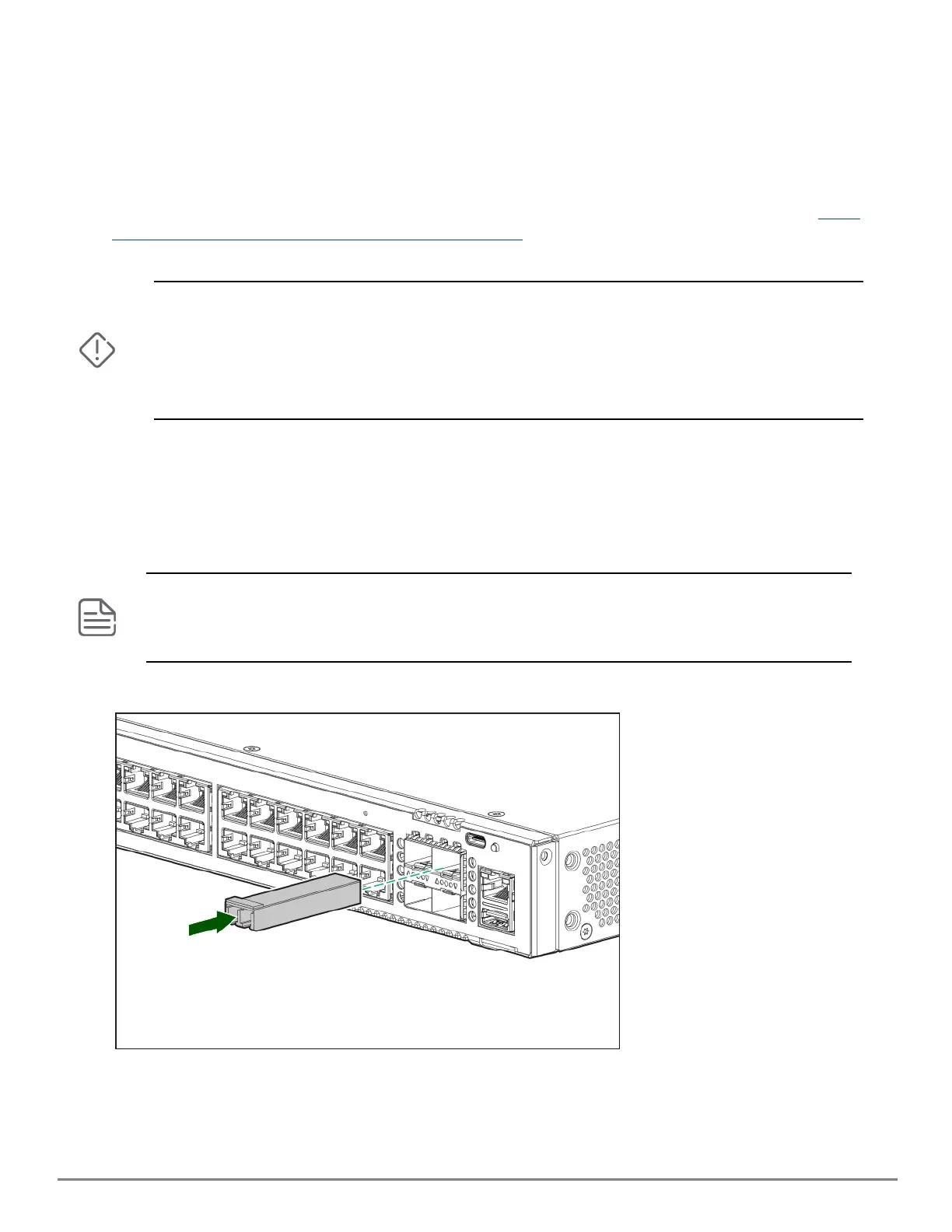
Install transceivers (optional)
You can install or remove transceivers from the slots on the front of the switch without having to power off the
switch.
n The transceivers operate only at full duplex. Half duplex operation is not supported.
n Ensure that the network cable is NOT connected when you install or remove a transceiver.
n 24 SFP+ switches can support up to 48 transceivers.
(Optional) Insert up to four SFP transceivers in the fixed transceiver slots on the switch front panel.
Connect network cables










 To Next Page