HPE Aruba Networking CX 6300 Switch Series | Installation and Getting Started Guide 35
2. Position the switch with the top panel up on the selected horizontal surface.
Ensure that the power cord and network cables at switch mounting location will not create a tripping
hazard.
Avoid blocking any ventilation openings on the sides, rear, or front of the switch.
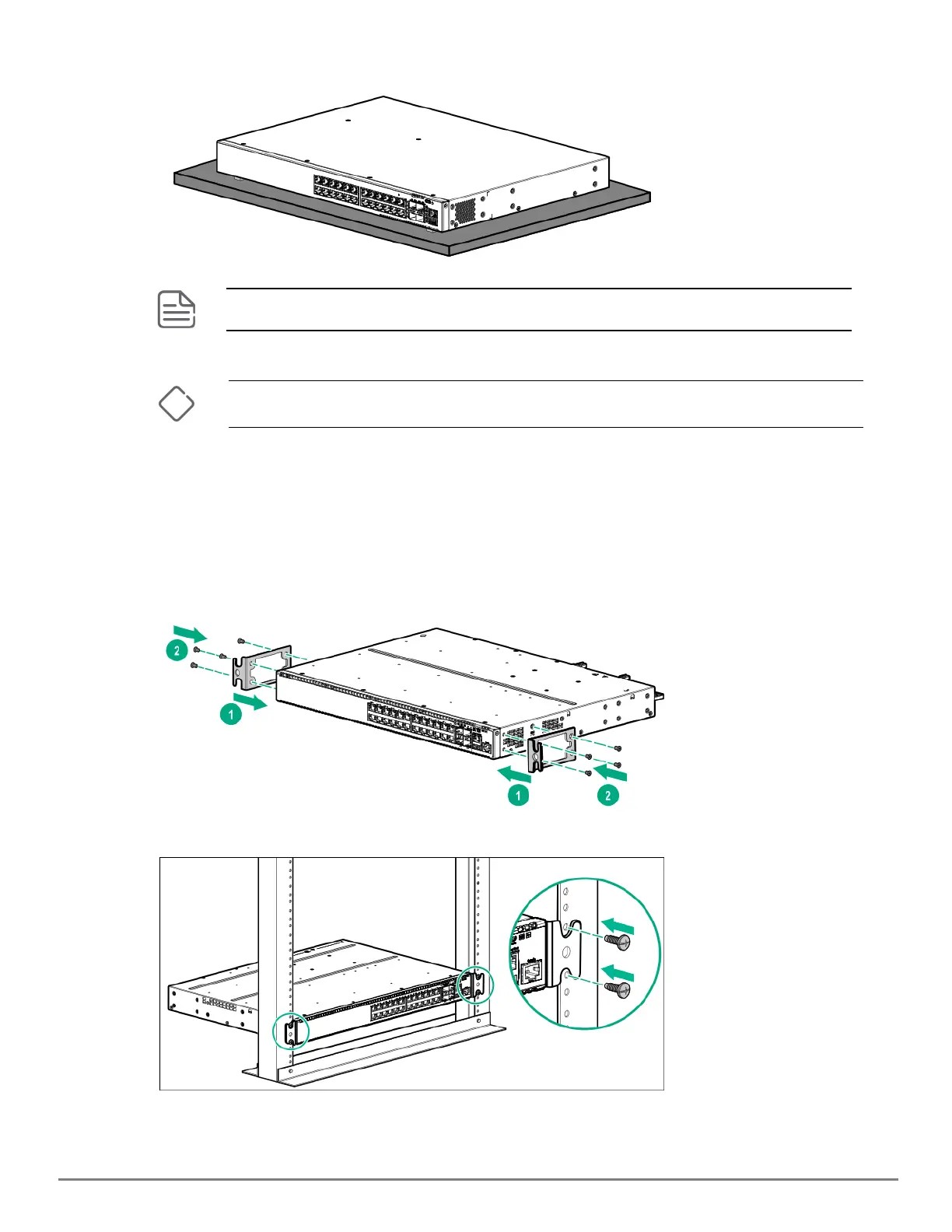
Mounting the switch in a two-post rack
Before you begin, prepare your network data cables (not included) for connecting the switch to the network.
To mount the switch in a two-post rack:
1. Attach the rack mount brackets to the switch by using a #1 Phillips (cross-head) screwdriver and the supplied
eight 8-mm M4 screws.
2. Use the four number 12-24 screws to secure the brackets to the rack.
Mounting the switch in a four-post rack










 To Next Page