HPE Aruba Networking CX 6300 Switch Series | Installation and Getting Started Guide 44
Unplugging the DCpower supply when the PSUis powered on is not supported.
AC power supply
1. Remove the AC power cable from the connector on the failed power supply.
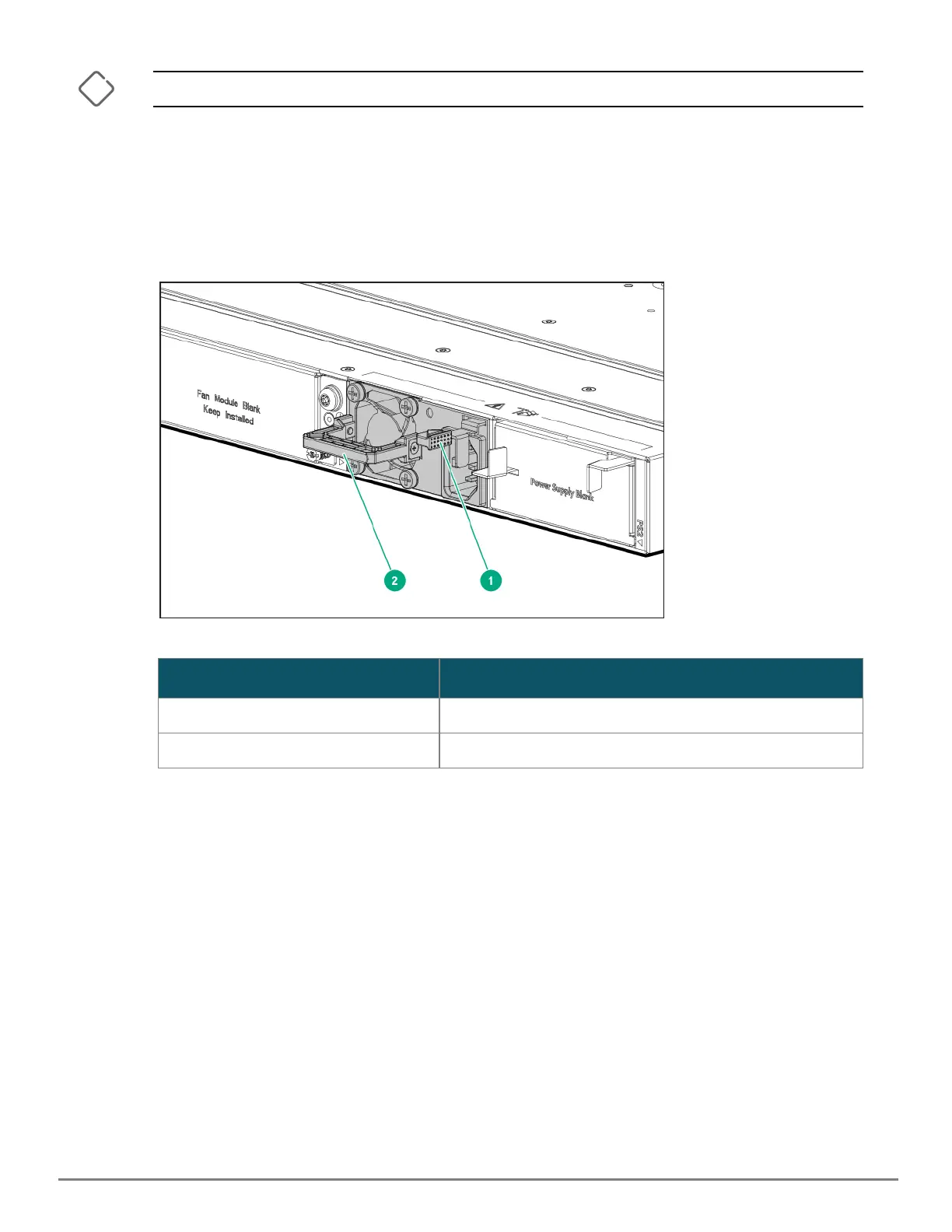
2. Grasping the handle of the failed power supply, release the locking mechanism by squeezing the latch
handle while removing the failed power supply.
Figure 15 Replacing a Failed Power Supply
Label Description
1 Lock mechanism
2 Handle
Table 12: Replacing Failed Power Supply: Label and Description










 To Next Page