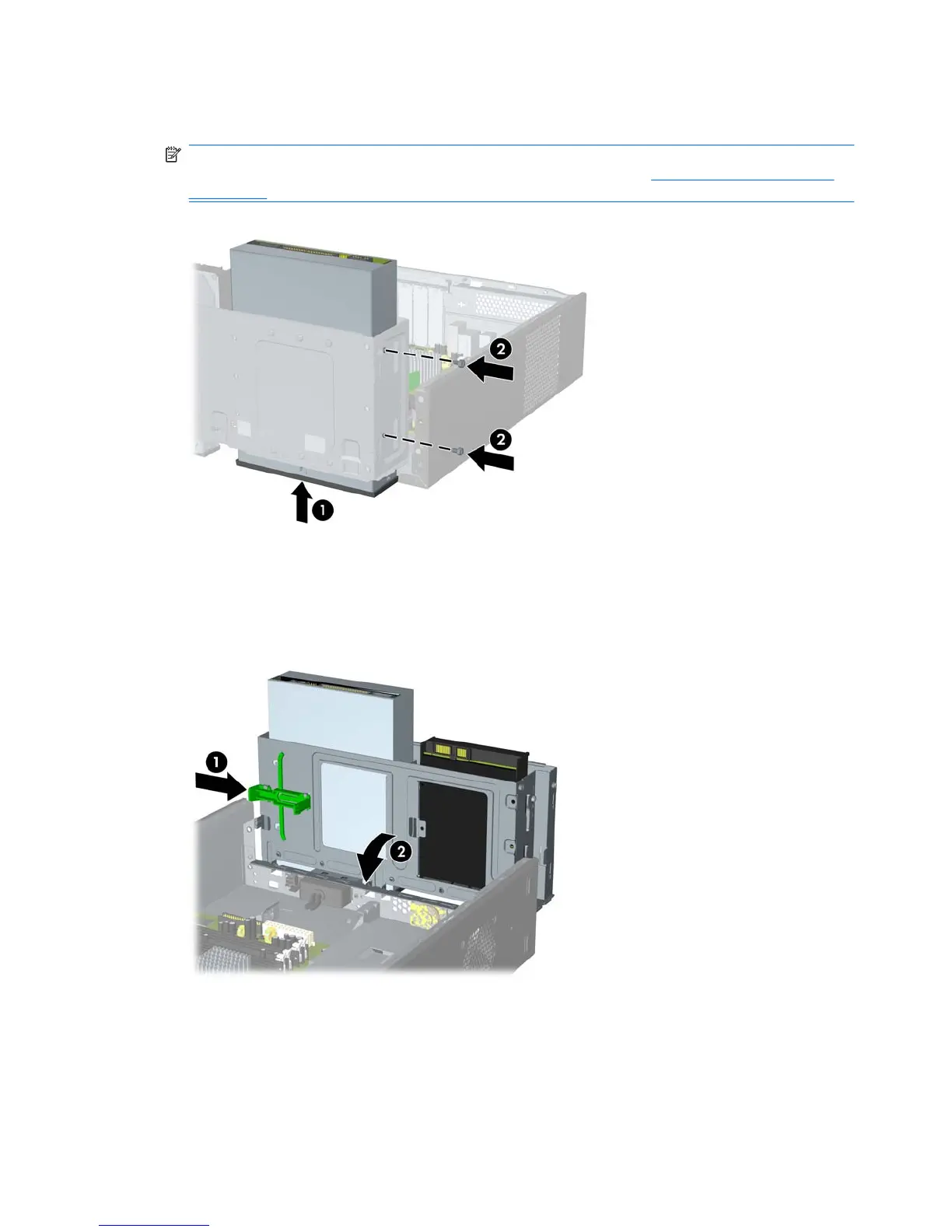
10. Secure the optical drive by fastening two retainer screws through the holes in the right side of the
drive cage into the corresponding holes in the right side of the optical drive (2).
NOTE: Extra retainer screws are provided on the front of the chassis under the hard drive cage.
The M3 metric retainer screws for optical drives are black. Refer to
Installing Additional Drives
on page 25 for an illustration of the retainer screws location.
Figure 2-25 Installing the Optical Drive
11. Push in the latch holding the drive cage upright (1) and lower the drive cage all the way down (2).
Figure 2-26 Lowering the Drive Cage
12. Connect the SATA data cable to the red system board connector labeled SATA4.
30 Chapter 2 Hardware Upgrades ENWW







 To Next Page