9
2 Get Start
2.1 Storage Media
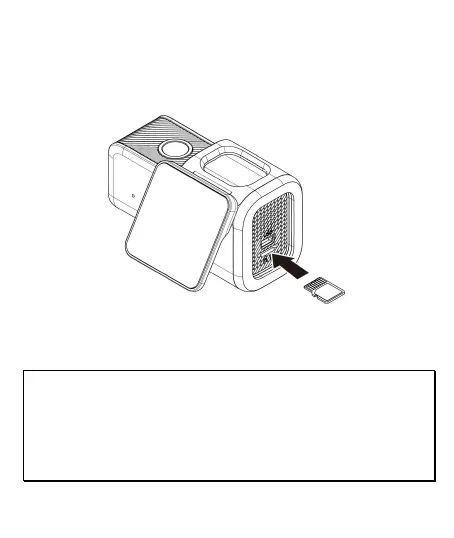
2.1.1 Insert the Memory Card
Insert memory card with the pins facing forward, see the picture as
below:
2.1.2 Remove the Memory Card
If the camcorder is power on, please power off first and wait for the
procedure of switching off the camcorder completed before
removing the memory card.
Note:
1. Do not remove or insert the memory card when the camcorder is turned on. This
may damage the memory card.
2. Support microSD class 10 and memory storage 16GB or above (support up to
128GB).
3. Please use this car camcorder to format the microSD card before the initial use.
4. Periodically format the microSD card (recommended period: once a month).



 To Next Page