32
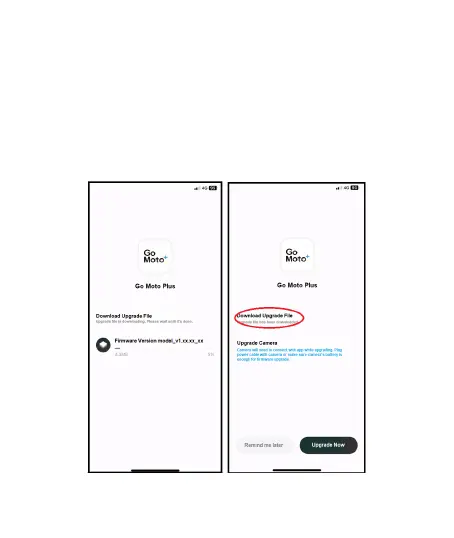
Follow the app instruction,
1. Tap “Upgrade Now”
note1
to download the new firmware to smart
phone
note2
. (Figure1)
2. When download is completed, screen will show “Upgrade file has
been downloaded”. Make sure smart phone Wi-Fi is connected
with camcorder, then, tap the “Upgrade Now” on the right bottom
corner. Then, the new firmware will be sent from smart phone to
the camcorder. (Figure2)
Figure1 Figure2



 To Next Page