35
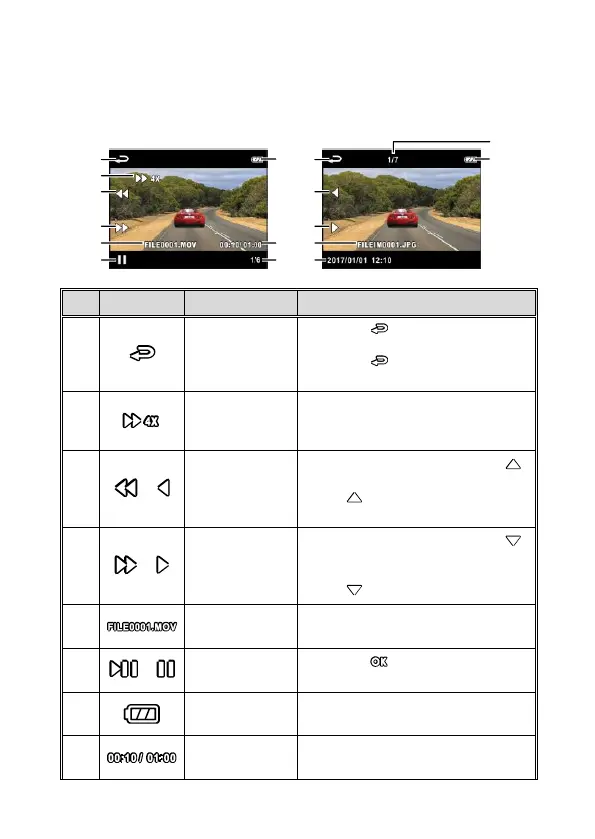
3.8 The Playback Screen
Video Playback Screen Picture Playback Screen
Press the button to return
preview screen of video or picture.
Press the button repetitively to
return recording screen.
Fast Forward
/ Fast Rewind
icon
Indicates video fast-forward and
rewind status.
Fast Rewind /
Previous File
Button
When playing videos, press the
button will reverse the playback.
Press button to view previous
file.
Fast Forward
/ Next File
Button
When playing videos, press the
button to fast forward playing of
video.
Press button to view next file.
Indicates the file name of video /
picture.
Press the button to play or
pause the video.
Indicates Battery or charging
status.
Indicates video playback time and
total duration.



 To Next Page