13
2.6 Initial Settings
Before using the camcorder, we recommend you setup the correct Time
zone, Date and Time.
Note:
Please note that if you press the button during recording, the system will stop recording and
enter OSD menu. Make sure the recording is already stopped then continue operating the menu.
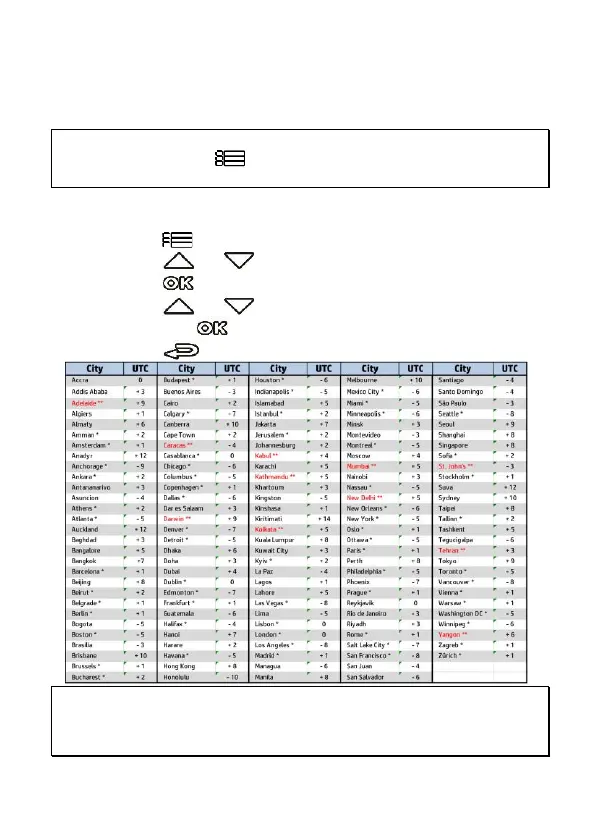
2.6.1 Set Time Zone
To set the time zone, do the following:
1.
Press the button to enter the OSD menu.
2.
Press the or button to select
Set Time Zone
, and then
press the button for entering function menu.
3.
Press the or button to set the current time zone, and
then press the button to complete setting.
4.
Press the button to return to recording screen.
Note:
1. If
Time Sync.
is on, camcorder clock will be calibrated via satellite clock signal based on
Set Time
zone
.
2. If satellite positioning is not successful, camcorder clock will run based on user defined time.



 To Next Page