48
to stop recording and enter the playback menu.
2.
Press the or button to select the file category that
you want to browse and press the button to display
thumbnail images of the recorded video or photo files.
3.
Use the or to select the video or photo you want to
playback, and press button to confirm your selection.
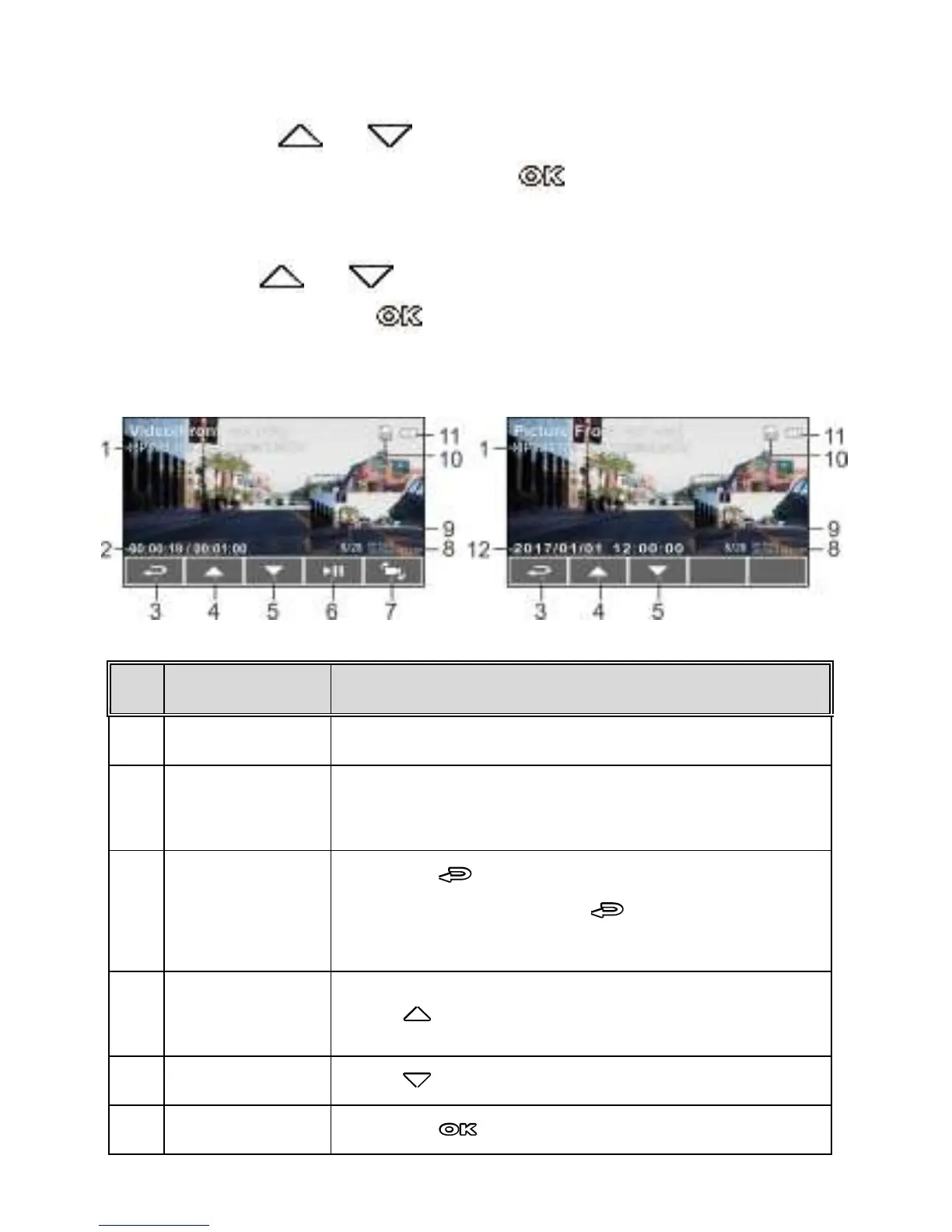
3.7 The Playback Screen
Duration/ Total
recorded time
Indicates the video elapse time/ Indicates total
recorded time
Press the button to return preview screen of
video or picture. Press the button repetitively
to return recording screen.
Press button to view previous file.
Press button to view next file.
Press the button to play or pause the video.



 To Next Page