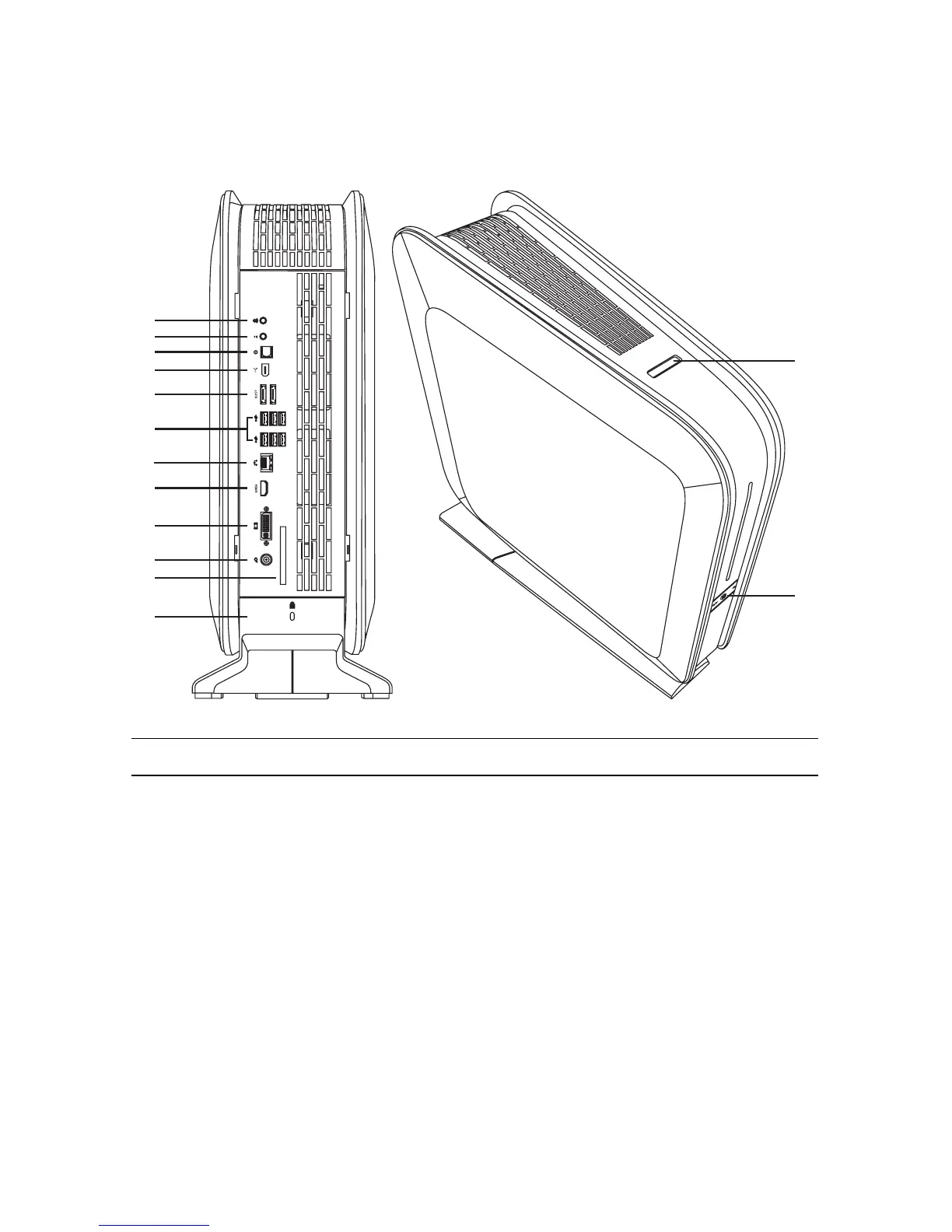
2 HP Firebird Desktop Essentials (Features may vary by model)
Connecting to the HP Firebird
Connect the main hardware devices, such as the monitor, keyboard, and mouse to the back
of the HP Firebird. Other peripheral devices, such as a printer, scanner, or camera, also plug
into connectors on the back of the HP Firebird. The following table shows some, but not all,
connectors:
NOTE: The location, availability, and number of connectors on the system may vary.
A
B
C
D
E
F
G
H
I
J
K
L
M
N




 To Next Page