User’s Guide 9–10
Using Bluetooth
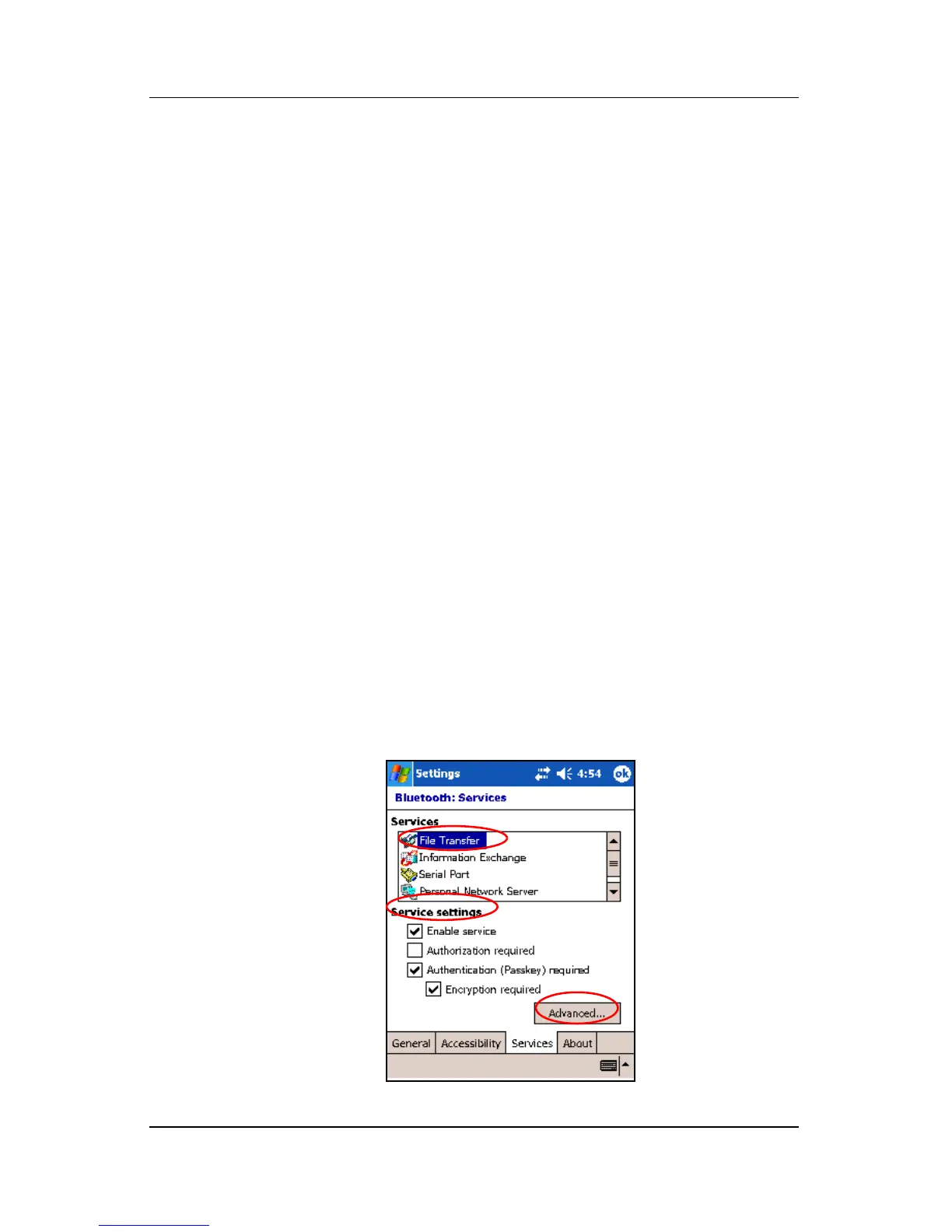
To require a passkey or bond:
1. From the Today screen, tap iPAQ Wireless > Bluetooth >
Settings > Services tab.
2. Tap the tab for the service you want to enable: File Transfer,
Information Exchange, Serial Port, Personal Network
Server, Hands free, or Dial-up Networking Server.
3. Select Authentication (Passkey) required.
4. Select Encryption Required if you want to require all data
exchanged between the devices to be encrypted.
5. Tap OK.
Setting a Shared Folder
You can determine the folder that other devices access when they
connect to your Pocket PC.
To select a shared folder:
1. From the Today screen, tap the iPAQ Wireless icon >
Bluetooth > Settings > Services tab.
2. Under Services, tap File Transfer.
3. Under Service Settings, select your preferred settings.
4. Tap the Advanced tab.



 To Next Page