Getting to Know Your iPAQ Pocket PC
User’s Guide 1–7
Performing a Hard Reset
Perform a hard reset only when you want to clear all
user-installed settings, applications, and data from RAM
(Random Access Memory), where data and applications you have
loaded are stored.
Ä
CAUTION: If you perform a hard reset, your Pocket PC loses all data
and programs not saved in iPAQ File Store.
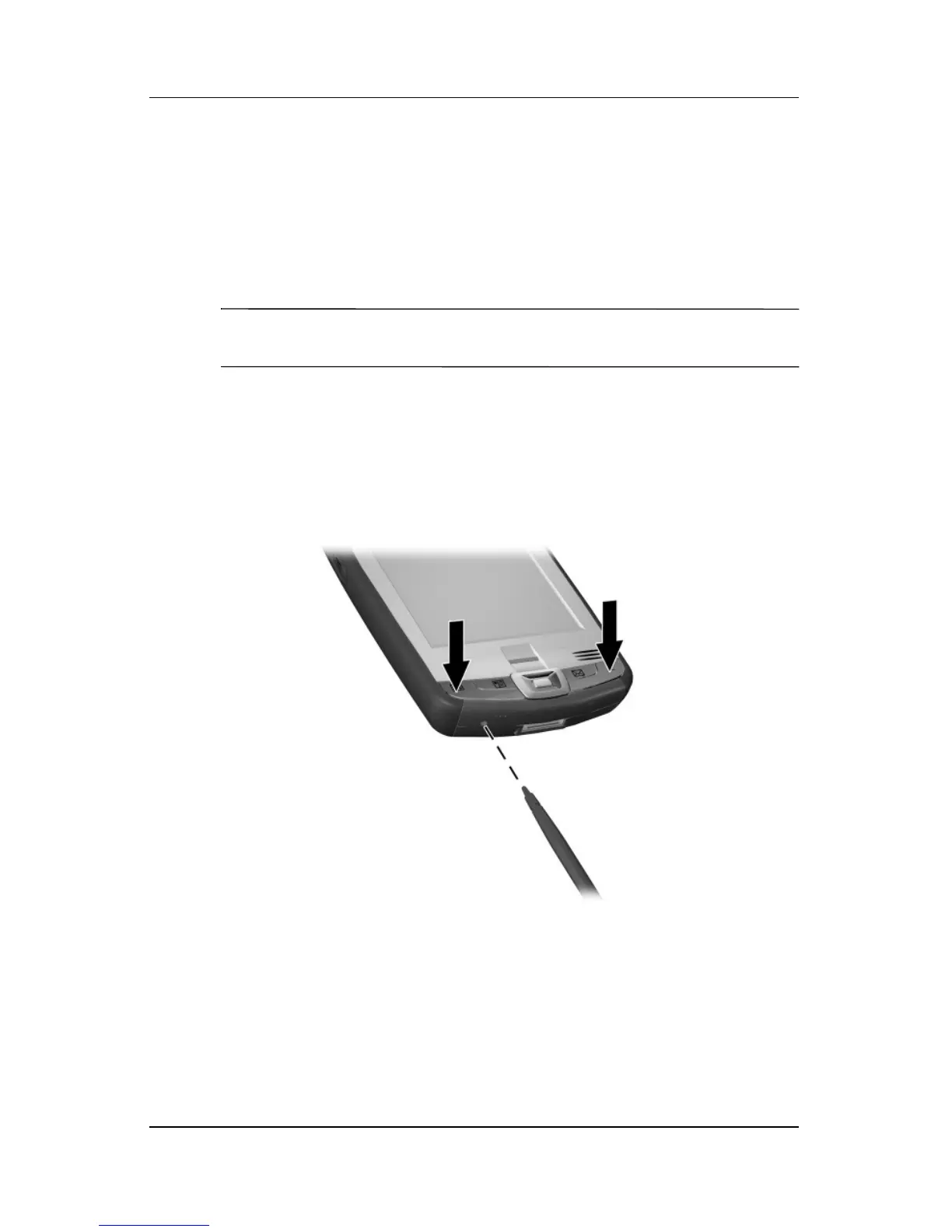
To perform a hard reset:
1. Press and hold down the Calendar and iTask buttons.
2. While holding down these buttons, use the stylus to
lightly press the Reset button on the bottom of the iPAQ
Pocket PC for about two seconds.



 To Next Page