User’s Guide 2–3
Synchronizing with Your Computer
OR
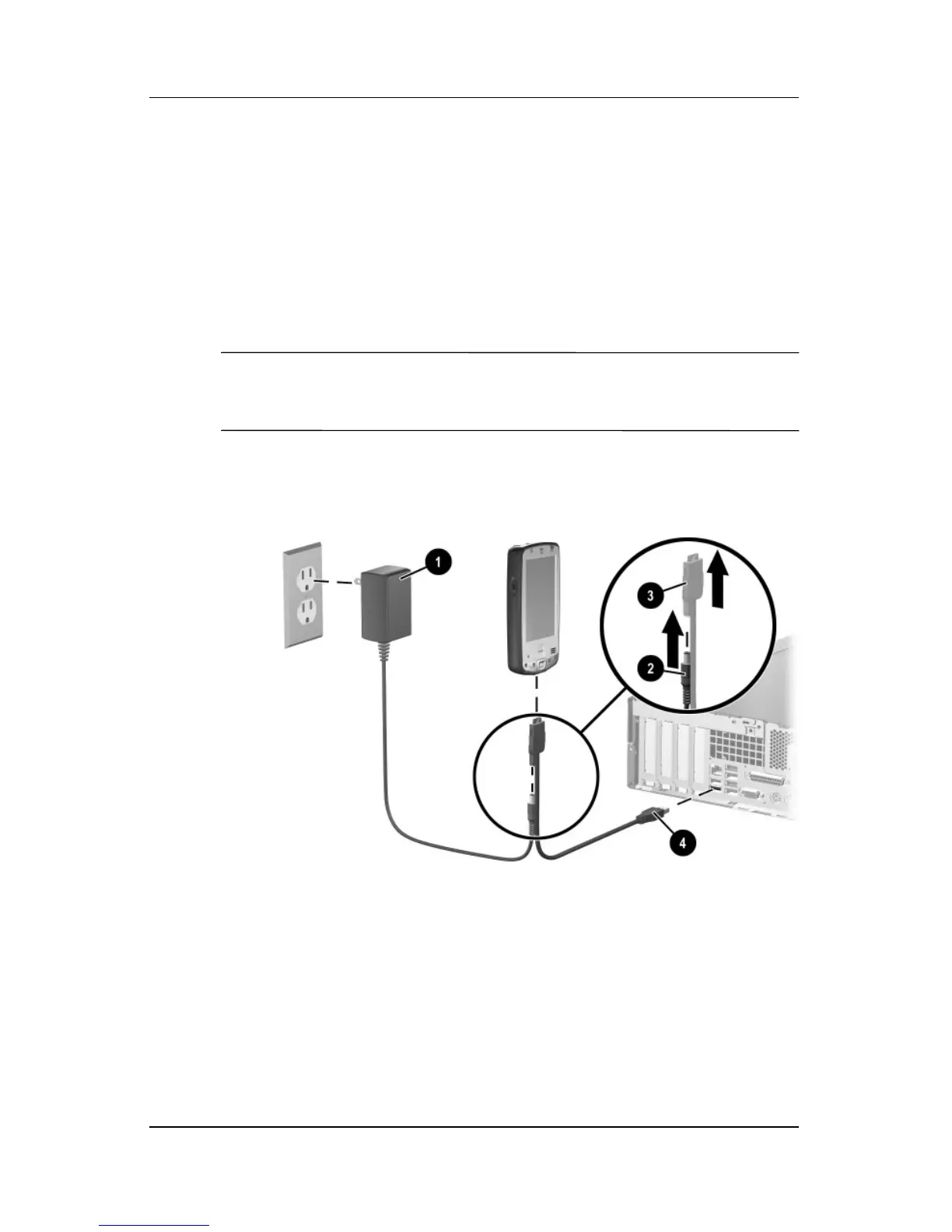
a. Plug the AC Adapter into an electrical outlet 1, then
connect the other end of the AC Adapter to the AC
connector on the Autosync Cable 2.
b. Connect the 22-pin connector on the Autosync Cable to
the universal sync connector on the bottom of your iPAQ
Pocket PC 3.
Ä
CAUTION: To avoid damaging your Pocket PC or the Autosync Cable,
check to be sure the Pocket PC and cable connectors are properly
aligned before pushing the cable into the universal sync connector.
c. Connect the other end of the Autosync Cable to the USB
port on your computer 4.
4. Once you are finished with the Setup Wizard, you can
disconnect the Pocket PC from the computer.



 To Next Page