User’s Guide 3–7
Managing the Battery
To purchase an optional Automobile Adapter, refer to the HP
Web site at:
www.hp.com/go/ipaqaccessories.
Ä
CAUTION: Use only HP recommended AC adapters.
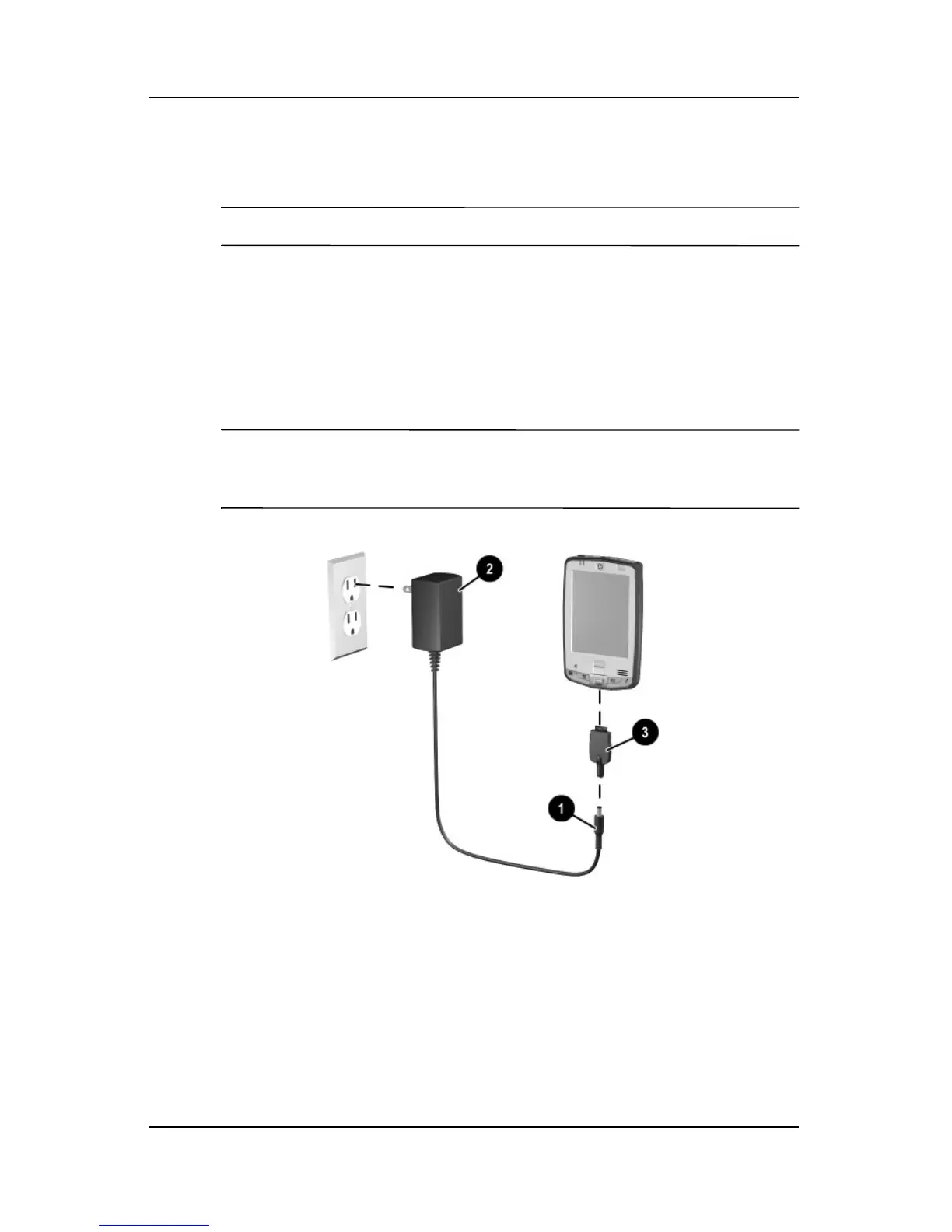
To charge your Pocket PC using the AC Adapter:
1. Insert the AC Adapter plug into the AC Charger adapter 1.
2. Plug the AC Adapter into an electrical outlet 2.
3. Insert the AC Charger adapter into the bottom of the
Pocket PC 3.
Ä
CAUTION: To avoid damaging your Pocket PC or the AC Adapter,
check to be sure all connectors are properly aligned before connecting
them.



 To Next Page