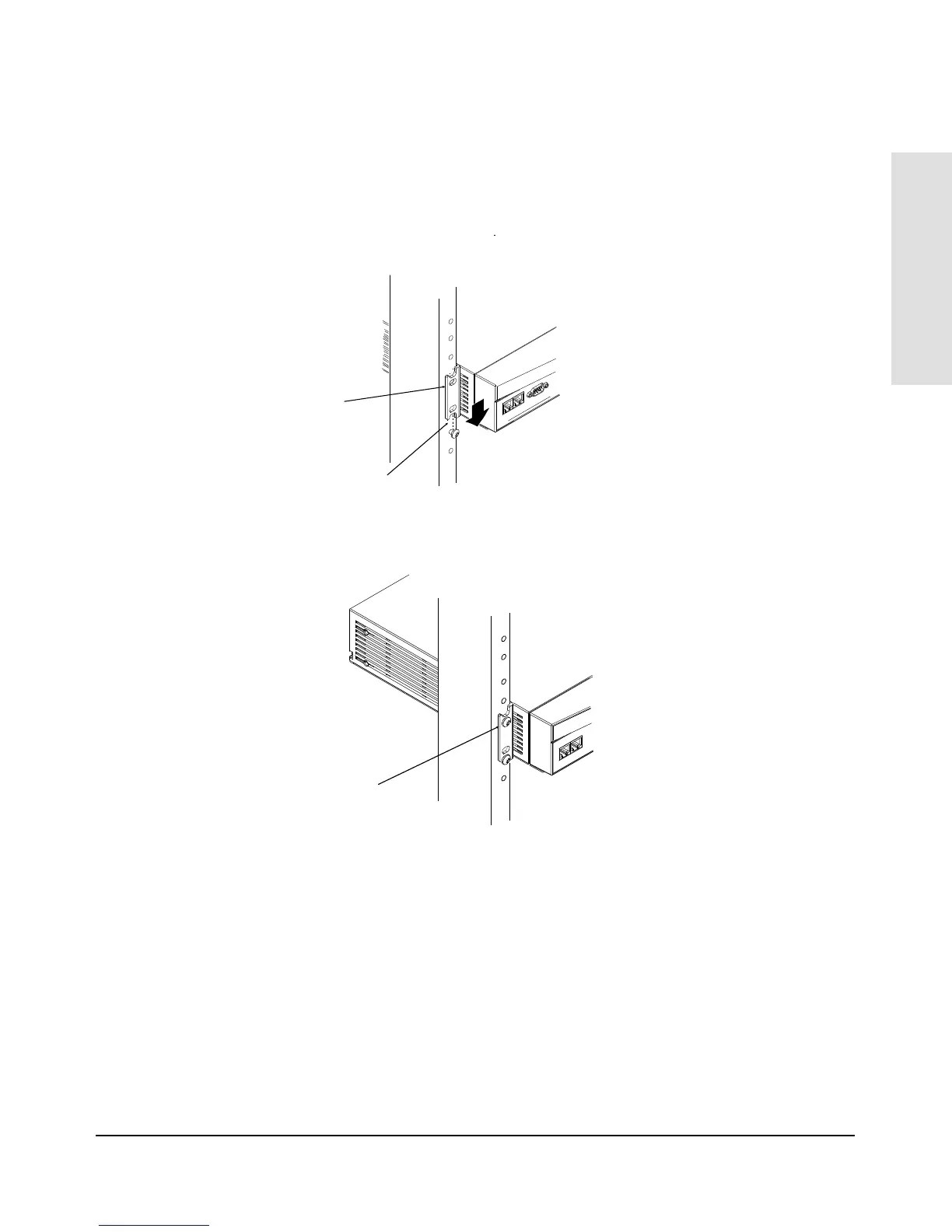
3. Place the hub in the rack and lower it so the notches in the bottom of the
bracket slide onto the screws. Tighten these screws—be careful not to
overtighten.
4. Install the other two number 12-24 screws into the upper hole in each
bracket. Tighten these screws—be careful not to overtighten.
Upper hole in the bracket
Lower notch in the bracket
Install additional screw
Installing the
HP AdvanceStack Hub
Installing the HP AdvanceStack Hub
1-11



 To Next Page