Mounting the Hub on a Wall
Important A hub should be mounted only to a wall or wood surface that is at
least 1/2-inch plywood or its equivalent.
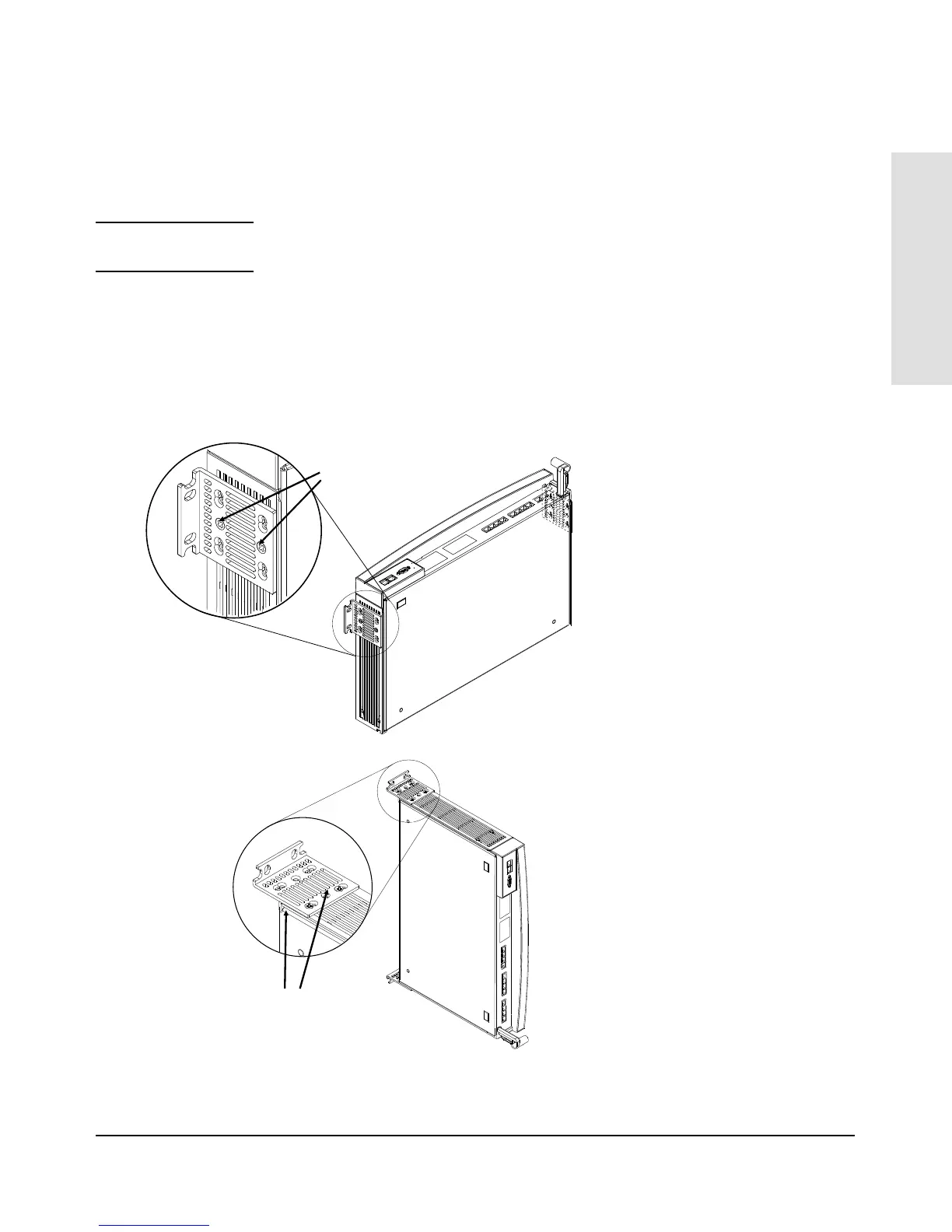
1. Using a Phillips (cross-head) screwdriver, attach the mounting brackets
to the hub in one of the positions shown in the illustrations below. Use
the 10-mm M4 screws included in the accessory kit.
2. Attach the hub to the wall or wood surface with 5/8-inch number 12
wood screws (not included).
10-mm M4 screws
Bracket mounting position for flat
mounting on a wall.
Bracket mounting position for
bookshelf-style mounting on a wall.
Plug the power cord into the hub’s
power receptacle before mounting the
hub. There may not be enough room to
do so after the hub is mounted.
10-mm M4 screws
Installing the
HP AdvanceStack Hub
Installing the HP AdvanceStack Hub
1-13



 To Next Page