4
Rear components
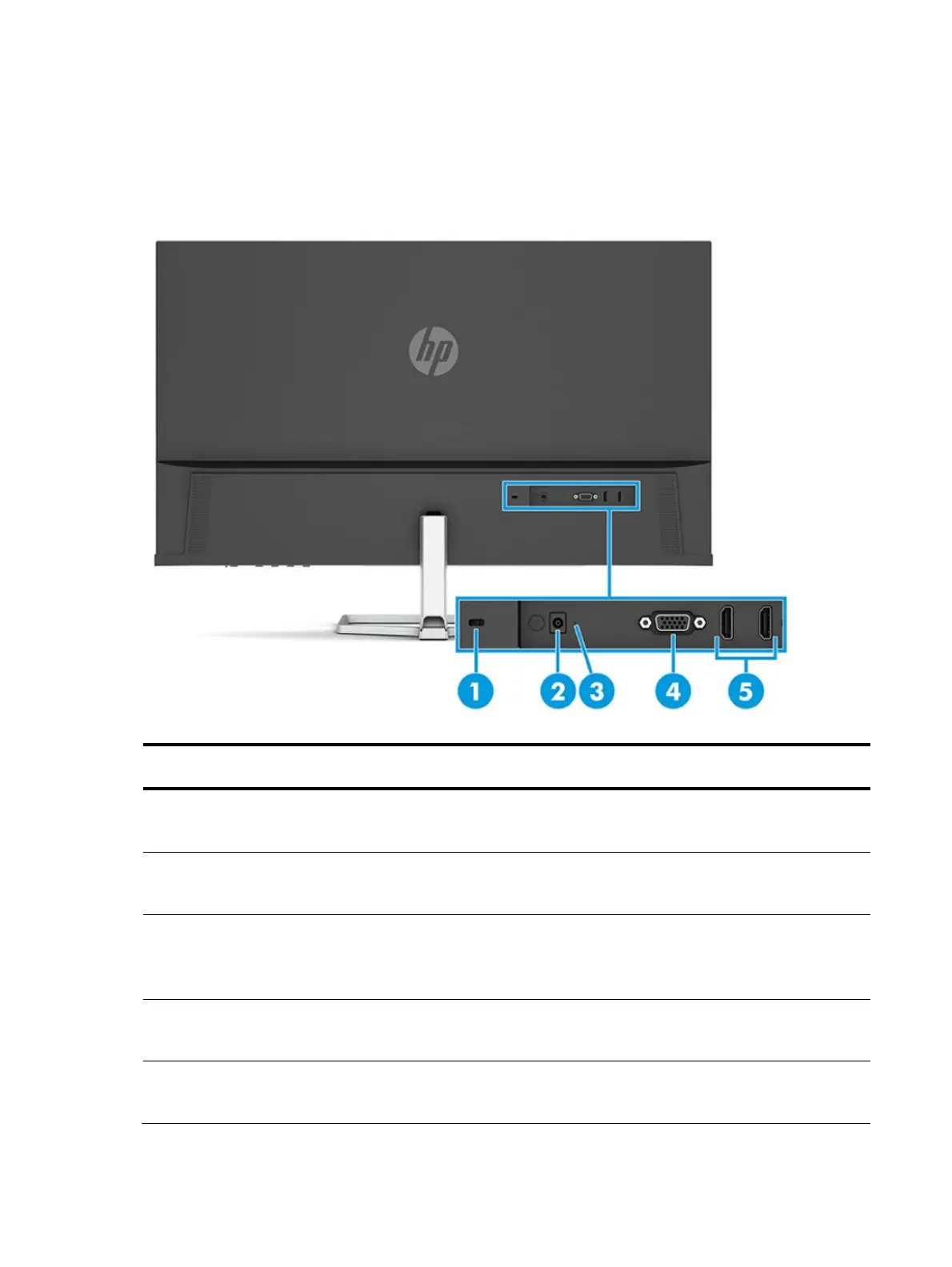
To i
dentify the components on the rear of the monitor, use this illustration and table.
Table 1-1: Rear components and their descriptions
C
omponent Function
1 S
ecurity cable slot
C
onnects an optional security cable.
2 P
ower connector
C
onnects a DC adapter.
3 P
ower light
O
n: The monitor is on.
Off: Depending on your monitor model,
the monitor have no voltage from adapter
4 V
GA connector
C
onnects the VGA cable to a source device.
5 H
DMI ports (2)
C
onnect the HDMI cable to a source device such
as a computer or game console.


 To Next Page