Hardware options installation 16
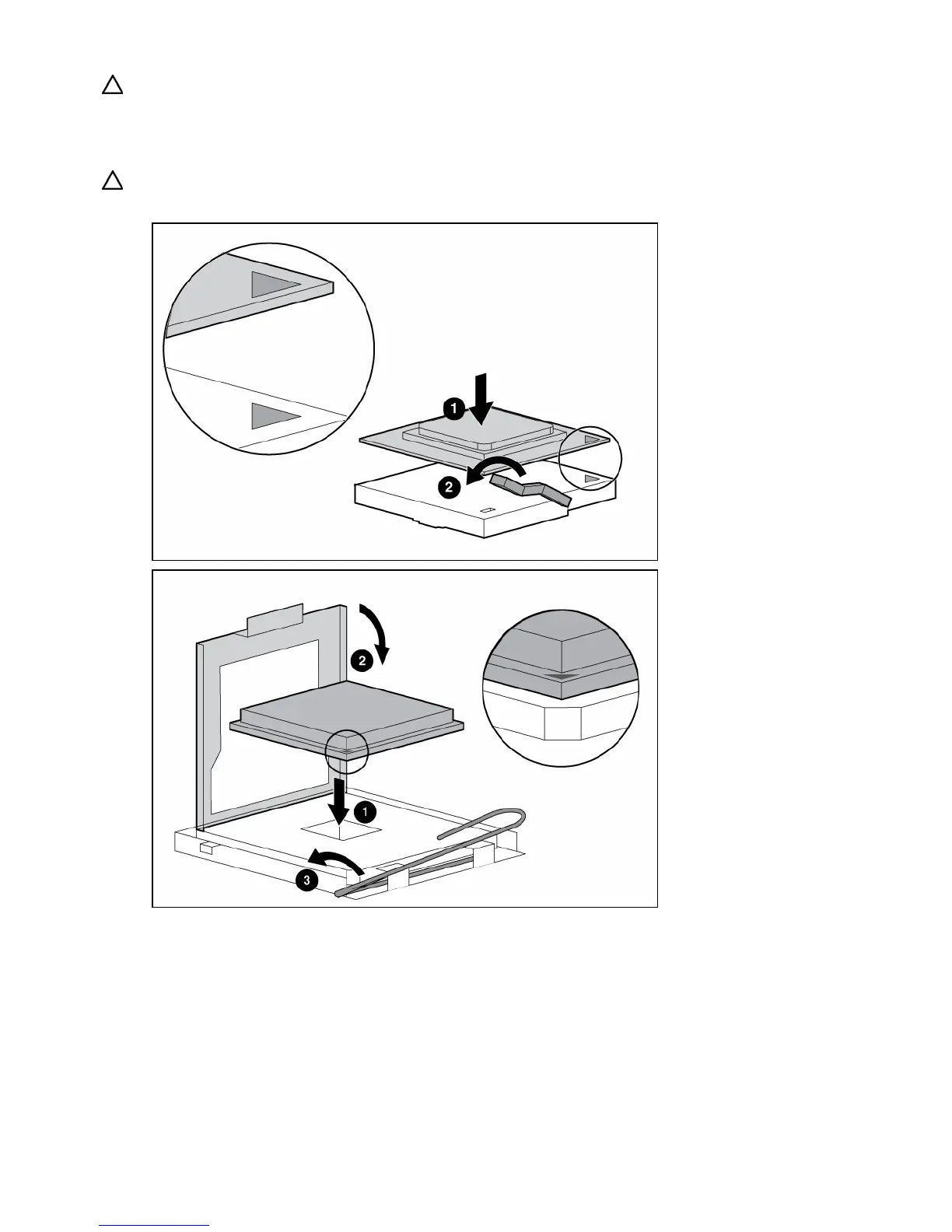
CAUTION: Failure to completely open the processor locking lever prevents the processor from seating
during installation, leading to hardware damage.
6. Install the processor and close the processor retaining bracket. Refer to the installation sheet for
server-specific installation instructions.
CAUTION: To prevent possible server malfunction or damage to the equipment, be sure to completely close
the processor locking lever.
7. Install the heatsink. Refer to the installation sheet for server-specific installation instructions.
8. Install the PPM (if applicable). Refer to the server hood labels or user documentation for specific
information on how to install a PPM.
9. Install the access panel.
Installing SATA or SAS hard drives
The HP ProLiant ML110 Generation 4 Server and the HP ProLiant ML150 Generation 3 Server support
SAS and SATA drives depending on the controller configuration.














 To Next Page