Hardware options installation 26
•
A single expansion board retainer for all expansion boards (internal)
• Individual retainers for each expansion board
• A single expansion board retainer for all expansion boards (external)
This document provides the following procedures for installing expansion boards into HP ProLiant 100
Series servers:
• Installing an expansion board with a single retainer (on page 26)
• Installing an expansion board with individual retainers (on page 27)
• Installing an expansion board with an external retainer (on page 29)
For server-specific expansion board installation instructions, refer to the installation sheet that ships with
the server.
Installing an expansion board with a single retainer
CAUTION: To prevent damage to the server or expansion boards, power down the server and remove all
AC power cords before removing or installing the expansion boards.
To install an expansion board:
1. Power down the server (on page 6).
2. Extend the server from the rack, if applicable.
3. Remove the access panel ("Access panel" on page 6).
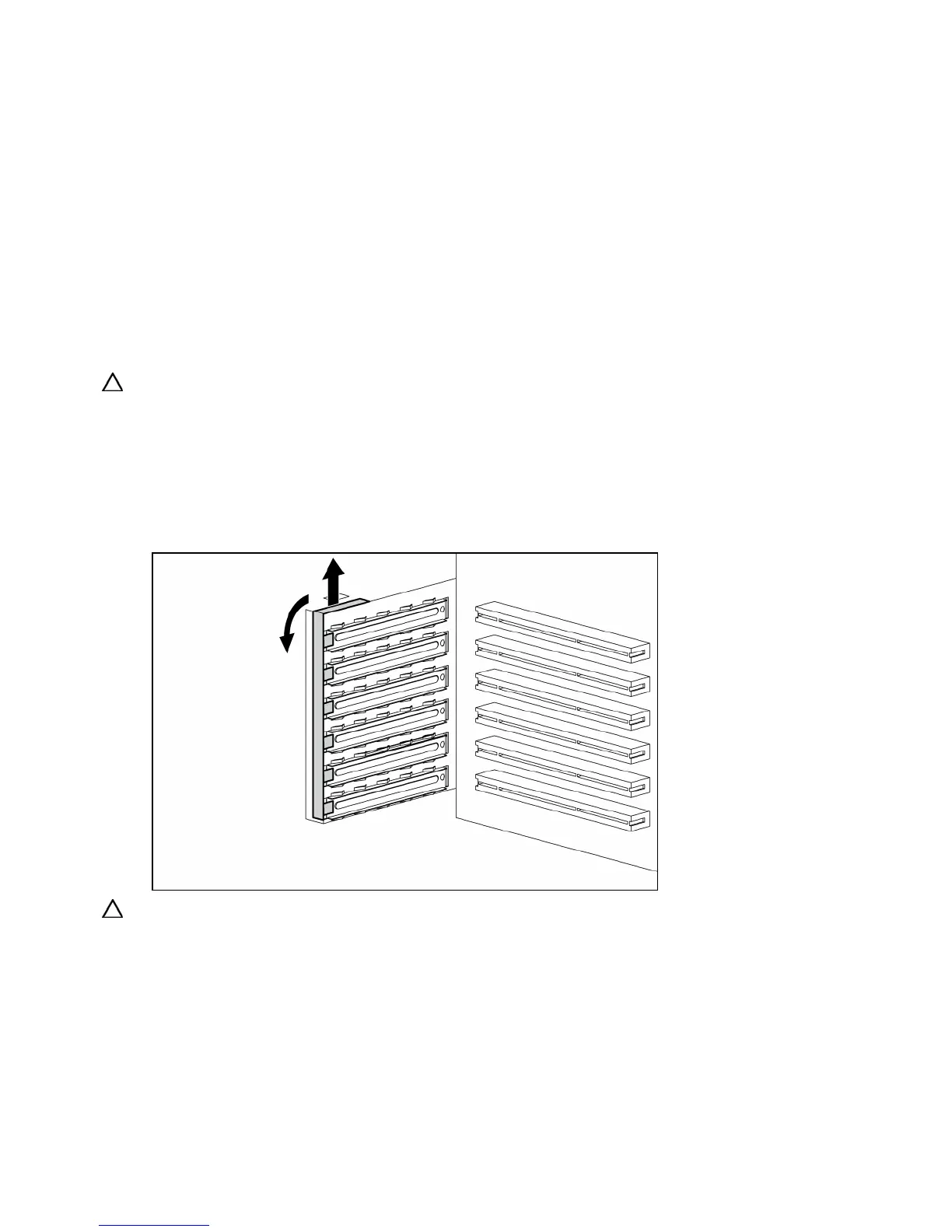
4. Remove the slot cover retainer.
CAUTION: To prevent improper cooling and thermal damage, do not operate the server unless all PCI slots
have either an expansion slot cover or an expansion board installed.














 To Next Page