Using the media activity functions
The media activity hotkeys and the media activity buttons (select models only) control the play of an
audio CD or a DVD that is inserted into the optical drive.
Using the media activity hotkeys
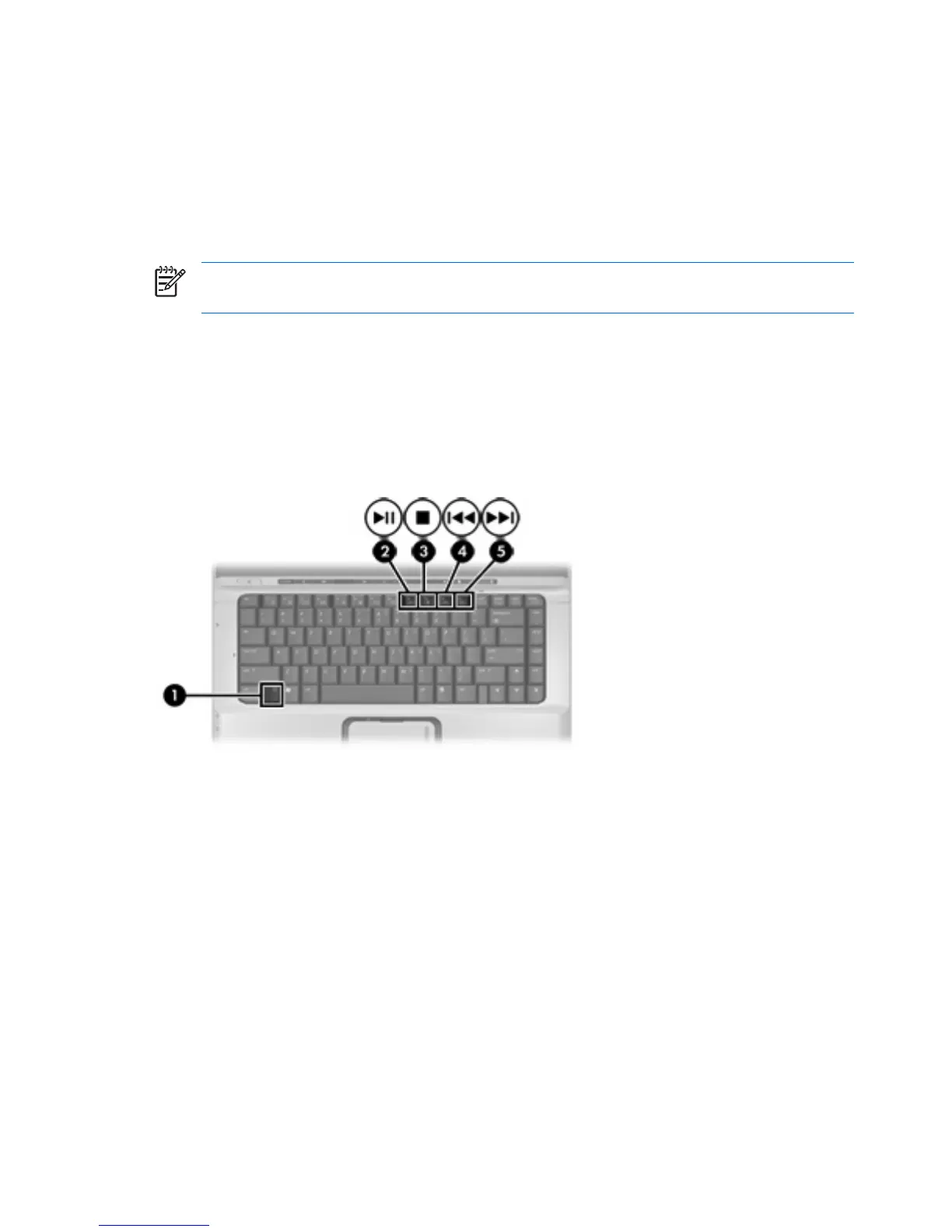
Media activity hotkeys are combinations of the fn key (1) and any of the 4 function keys:
NOTE To control the play of a video CD, use the media activity controls in your video CD player
program.
●
To play, pause, or resume an inserted audio CD or a DVD, press fn+f9 (2).
●
To stop an inserted audio CD or a DVD that is playing, press fn+f10 (3).
●
To play the previous track of an audio CD or the previous chapter of a DVD that is playing,
press fn+f11 (4).
●
To play the next track of an audio CD or the next chapter of a DVD that is playing, press fn+f12
(5).
18 Chapter 1 Multimedia hardware ENWW











 To Next Page