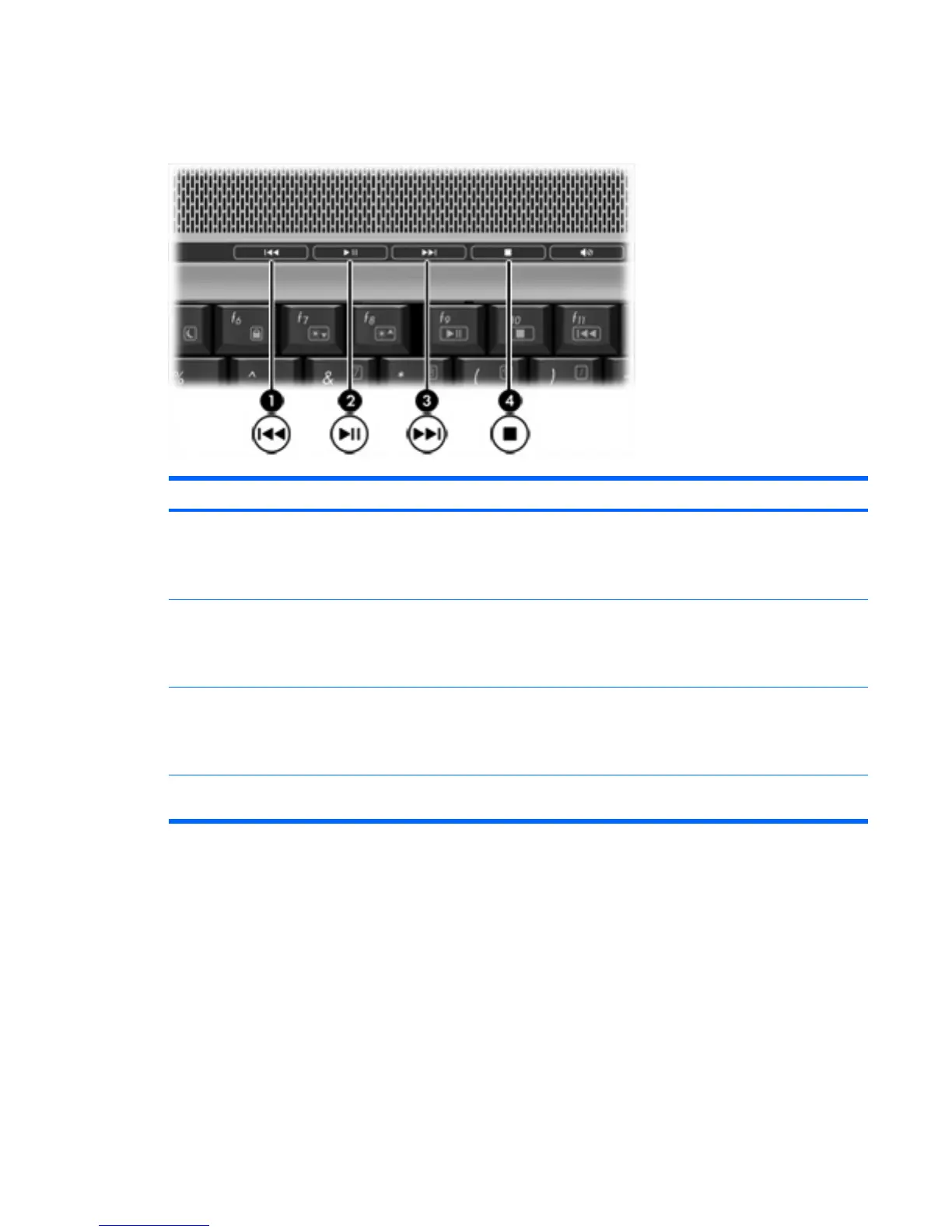
Using the media activity buttons (select models only)
The following illustration and table describe the media activity buttons.
Component Description
(1) Previous/rewind button When a disc is playing in the optical drive:
●
Plays the previous track or chapter, when pressed once.
●
Rewinds, when press with the fn key.
(2) Play/pause button When a disc is in the optical drive and is
●
Not playing, palys the disc.
●
Playing, pauses the disc.
(3) Next/fast forward button When a disc is playing in the optical drive:
●
Play the next track or chapter, when pressed once.
●
Fast forwards, when pressed with the fn when pressed once.
(4) Stop button When a disc is playing in the optical drive, stops the current disc
activity.
ENWW Using the media activity functions 19











 To Next Page