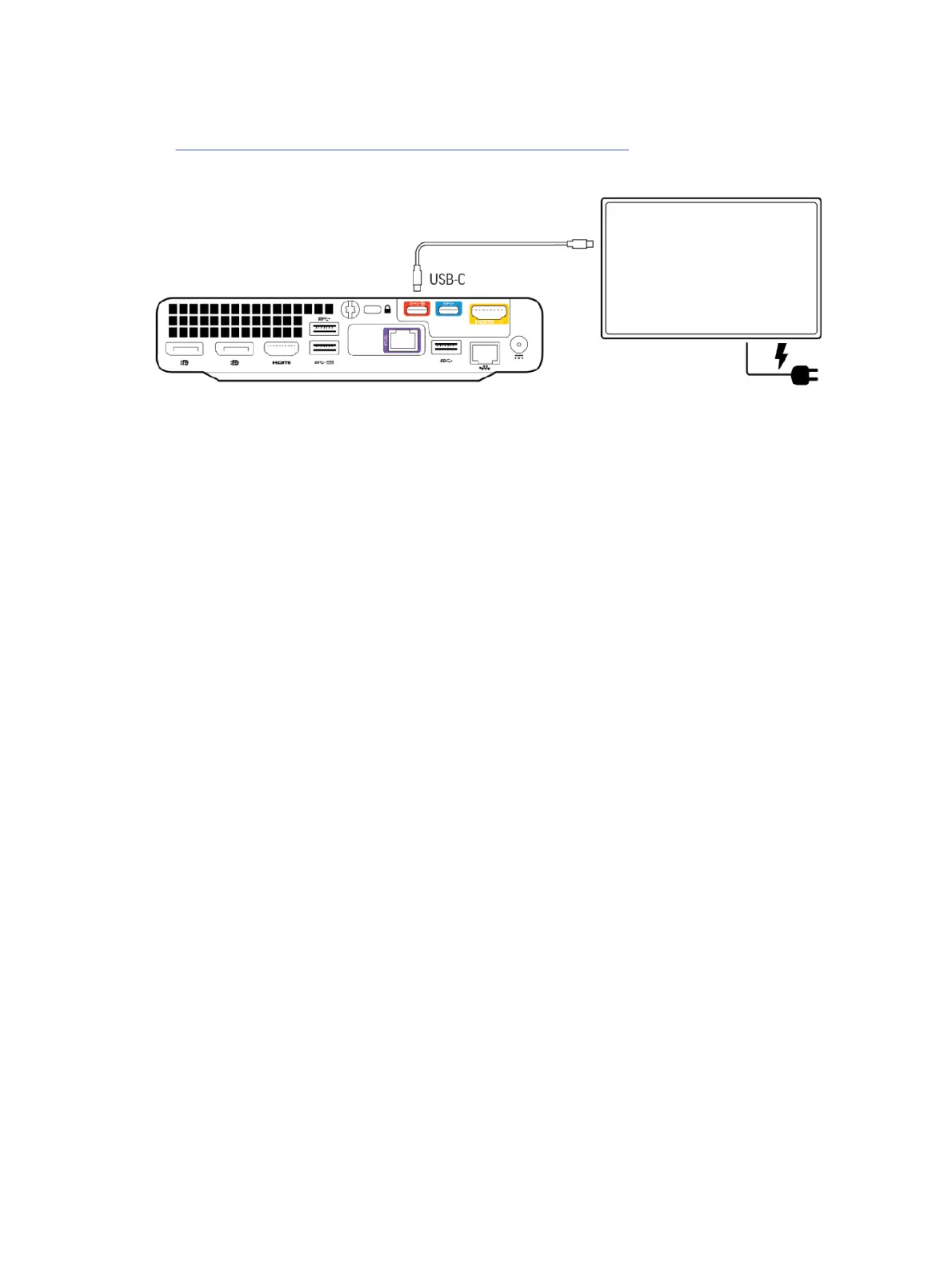
You must configure the interactive whiteboard as the system’s second display so the system uses it
when you start a whiteboarding session. For more information on setting up an interactive whiteboard,
visit Use Microsoft Teams Rooms as an Interactive Whiteboard Device.
Figure 3-4 Connecting an interactive whiteboard display to the HP Mini IP Conferencing PC
1. Connect a USB-C to USB-C cable from the interactive whiteboard display to the red USB-C port on
the conferencing PC.
2. Connect the display to power.
8
Chapter 3 Cabling the Poly Studio Base Kit G9 Plus system


 To Next Page