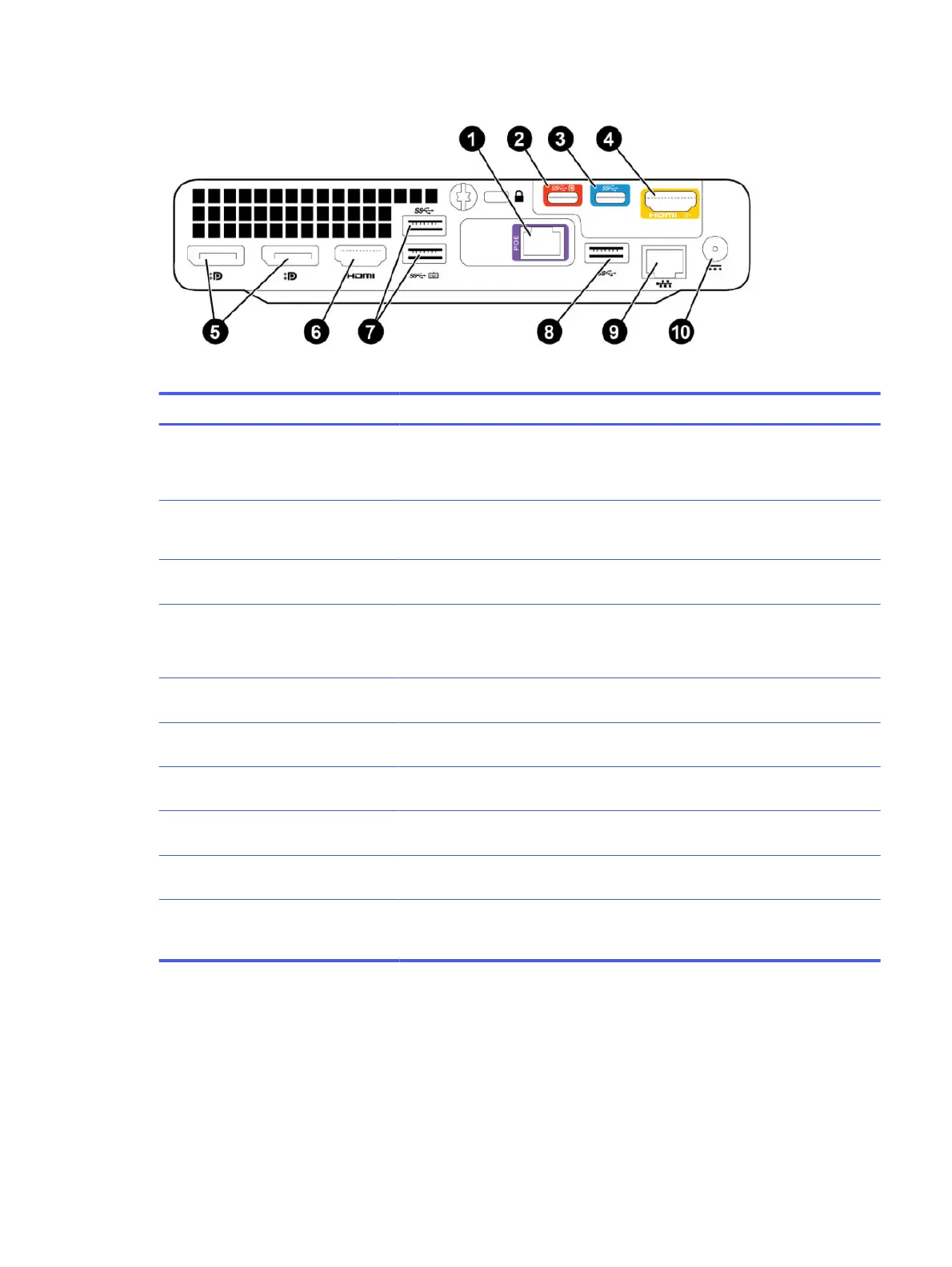
Figure 2-1 Conferencing PC system ports
Table 2-1 Conferencing PC port descriptions
Reference number Port type Description
1 PoE Ethernet port Directly connects Poly TC10 to HP Mini IP
Conferencing PC and provides network
connectivity (link local) and power to the
Poly TC10 device
2 USB Type-C port (DP-Alt) Connects a secondary camera or a
digital whiteboard over USB Type-C to
share ideas virtually (via DP-Alt mode)
3 USB Type-C Connects a camera to the conferencing
PC
4 HDMI ingest Connects a laptop to the conferencing
PC for content sharing
Supports 4K content ingest
5 DisplayPort ports Connects displays to the conferencing
PC using a DisplayPort-to-HDMI adapter
6 HDMI port Connects a display to the conferencing
PC
7 USB Type-A ports Connects cameras or audio peripherals
to the conferencing PC
8 USB Type-A ports Connects a camera or audio peripheral
to the conferencing PC
9 Ethernet port Connects the conferencing PC to your
network
10 Power port Connects the conferencing PC to power
using the provided power supply (150W
must be used)
Poly TC10 Controller Hardware Overview
The following illustration and table outline the hardware features of the Poly TC10 controller.
Figure 2-2 Poly TC10 hardware features
Poly TC10 Controller Hardware Overview
3


 To Next Page