Table of contents
1 About this guide..................................................................................................................................................................................................................................... 1
Audience, purpose, and required skills .......................................................................................................................................................................... 1
2 Getting started...................................................................................................................................................................................................................................... 2
Required Microsoft Teams Rooms license................................................................................................................................................................. 2
Required Microsoft Teams Rooms account.............................................................................................................................................................. 2
Preparing your environment for Microsoft Teams Rooms.............................................................................................................................. 2
Overview of system hardware............................................................................................................................................................................................. 2
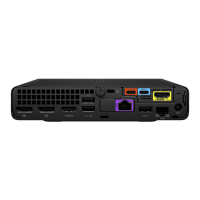
HP Mini IP Conferencing PC system ports ...................................................................................................................................................... 2
Poly TC10 Controller Hardware Overview........................................................................................................................................................ 3
LED status indicators for Poly TC10 in Microsoft Teams Rooms on Windows mode .................................................................. 4
3 Cabling the Poly Studio Base Kit G9 Plus system .......................................................................................................................................................6
Connect Poly TC10 to the HP Mini IP Conferencing PC .....................................................................................................................................6
Connect a Poly Studio video bar to the HP Mini IP Conferencing PC .....................................................................................................6
Connect displays to the HP Mini IP Conferencing PC.........................................................................................................................................7
Connect an interactive whiteboard display to the HP Mini IP Conferencing PC..............................................................................7
4 Poly Studio Base Kit G9 Plus out-of-box setup ..............................................................................................................................................................9
Complete the Windows out-of-box set up on Poly TC10 ...................................................................................................................................9
Update a Poly TC10 device..................................................................................................................................................................................................... 9
Configuring Microsoft Teams Rooms..........................................................................................................................................................................10
Set up Microsoft Teams Rooms............................................................................................................................................................................10
Unpair a Poly TC10 device ....................................................................................................................................................................................................10
5 Poly Lens Room ................................................................................................................................................................................................................................... 11
Register the Poly Studio Base Kit G9 Plus with Poly Lens during setup............................................................................................... 11
6 Hardware compatible with Poly Studio Base Kit G9 Plus....................................................................................................................................13
Cameras supported with Poly Studio Base Kit G9 Plus .................................................................................................................................13
Audio devices supported with Poly Studio Base Kit G9 Plus...................................................................................................................... 13
7 System maintenance ..................................................................................................................................................................................................................... 14
Access Windows on the conferencing PC............................................................................................................................................................... 14
iii


 To Next Page