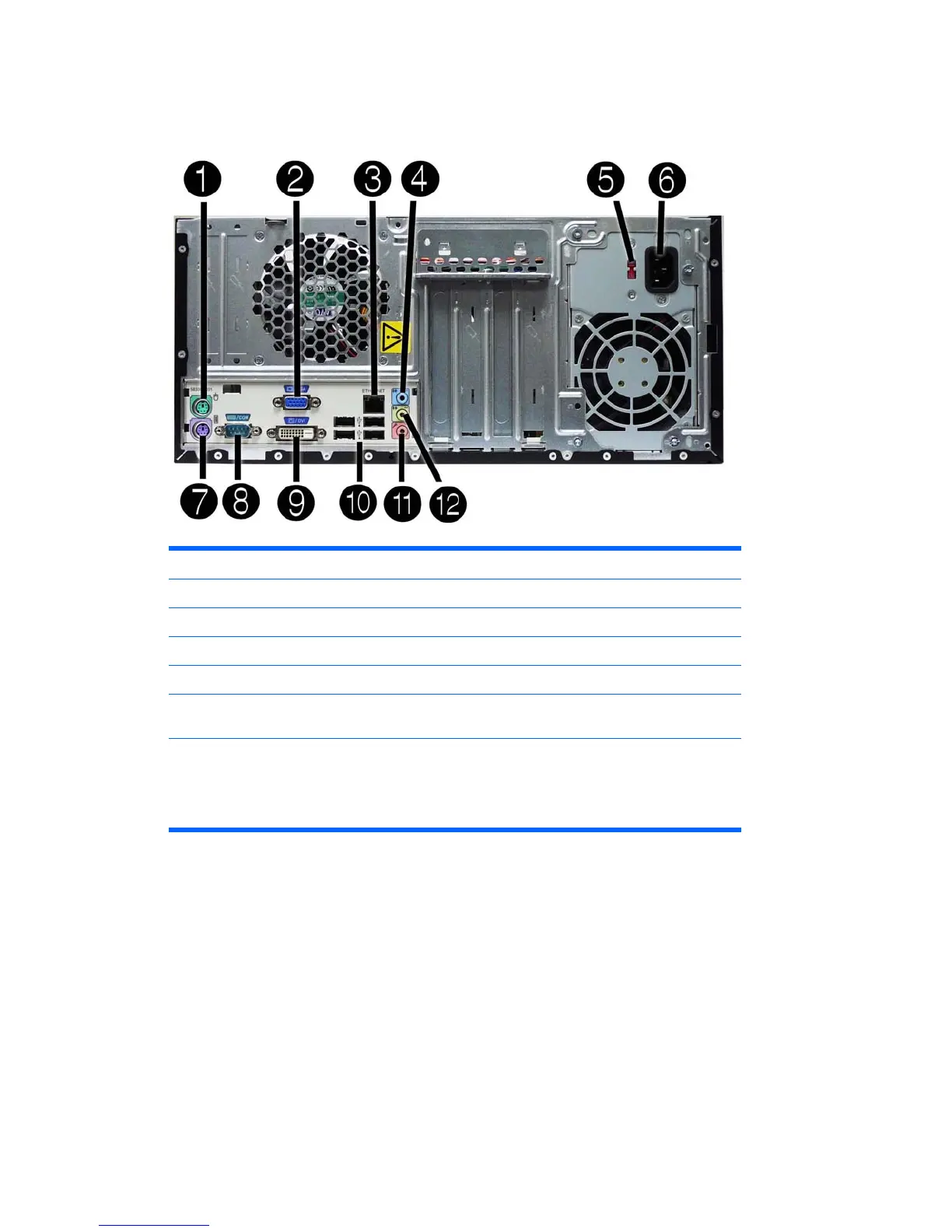
Rear Panel Components
Figure 1-5 Rear Panel Components
Table 1-3 Rear Panel Components
1 Mouse PS/2 connector 7 Keyboard PS/2 connector
2 VGA Monitor Connector 8 Serial connector
3 RJ-45 Network Connector 9 DVI Connector
4 Line-In Audio Connector (blue) 10 Universal Serial Bus (USB) Ports
5 Voltage Switch 11 Microphone Connector (pink)
6 Power Cord Connector 12 Line-Out Connector for powered audio
devices (green)
NOTE: Arrangement and number of connectors may vary by model.
When a device is plugged into the blue Line-In Audio Connector, a dialog box will pop up asking if
you want to use the connector for a line-in device or a microphone. You can reconfigure the
connector at any time by double-clicking the Realtek HD Audio Manager icon in the Windows taskbar.
Rear Panel Components 5







 To Next Page