Drives
The computer supports up to five drives that may be installed in various configurations.
This section describes the procedure for replacing or upgrading the storage drives. A Torx T-15
screwdriver is needed to remove and install the guide screws on a drive.
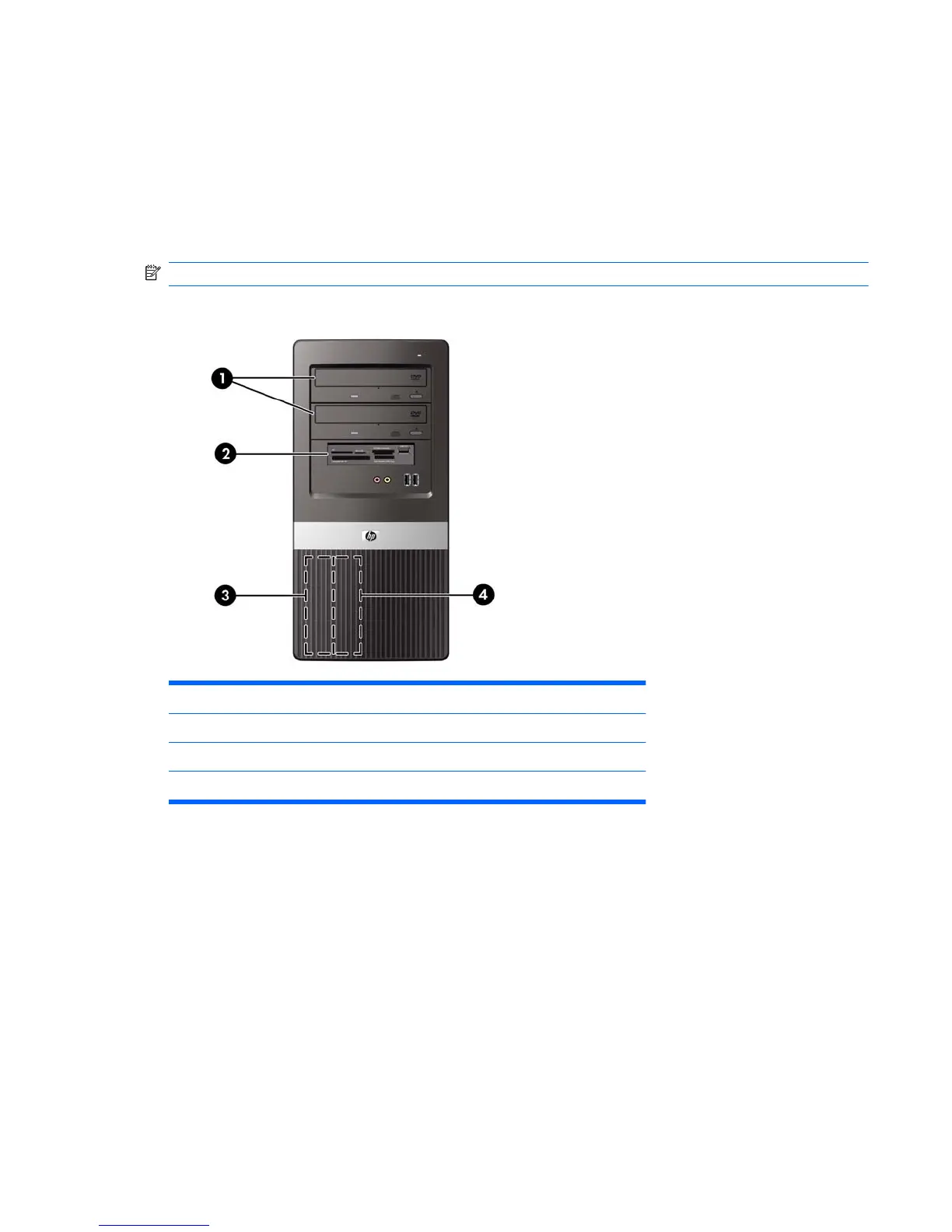
Drive Positions
NOTE: Front bezel appearance may vary.
Figure 6-13 Drive Positions
1 Two 5.25-inch external drive bays for optional drives (optical drives shown)
2 One 3.5-inch external drive bay for optional drive (media card reader shown)
3 Primary 3.5-inch internal hard drive bay
4 Secondary 3.5-inch internal hard drive bay for optional hard drive
To verify the type, size, and capacity of the storage devices installed in the computer, run Computer
Setup. Refer to the Computer Setup (F10) Utility Guide for more information.
Drives 39







 To Next Page