Generating Static ............................................................................................................... 17
Preventing Electrostatic Damage to Equipment ................................................................ 18
Personal Grounding Methods and Equipment ................................................................... 18
Grounding the Work Area .................................................................................................. 19
Recommended Materials and Equipment .......................................................................... 19
Operating Guidelines .......................................................................................................................... 20
Routine Care ...................................................................................................................................... 21
General Cleaning Safety Precautions ................................................................................ 21
Cleaning the Computer Case ............................................................................................ 21
Cleaning the Keyboard ...................................................................................................... 21
Cleaning the Monitor .......................................................................................................... 22
Cleaning the Mouse ........................................................................................................... 22
Service Considerations ...................................................................................................................... 22
Power Supply Fan ............................................................................................................. 22
Tools and Software Requirements .................................................................................... 22
Screws ............................................................................................................................... 23
Cables and Connectors ..................................................................................................... 23
Hard Drives ........................................................................................................................ 23
Lithium Coin Cell Battery ................................................................................................... 24
6 Removal and Replacement Procedures Microtower (MT) Chassis .......................................................... 25
Preparation for Disassembly .............................................................................................................. 25
Access Panel ...................................................................................................................................... 26
Front Bezel ......................................................................................................................................... 27
Bezel Blanks ....................................................................................................................................... 28
Memory .............................................................................................................................................. 29
DDR3-SDRAM DIMMs ...................................................................................................... 29
Populating DIMM Sockets ................................................................................................. 30
Installing Memory Modules ................................................................................................ 31
Expansion Cards ................................................................................................................................ 33
Cable Management ............................................................................................................................ 37
Cable Connections ............................................................................................................ 38
Drives ................................................................................................................................................. 39
Drive Positions ................................................................................................................... 39
Installing Additional Drives ................................................................................................. 40
System Board Drive Connections ..................................................................... 41
Removing an Optical Drive ............................................................................... 42
Installing an Optical Drive into the 5.25-inch Drive Bay .................................... 43
Removing an External 3.5-inch Drive ................................................................ 44
Installing a Drive into the 3.5-inch External Drive Bay ...................................... 45
Removing an Internal 3.5-inch Hard Drive ........................................................ 46
Installing an Internal 3.5-inch Hard Drive .......................................................... 50
Front I/O and USB Panel Housing Assembly ..................................................................................... 53
vi




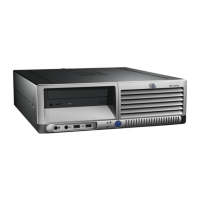


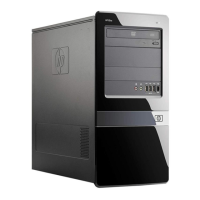
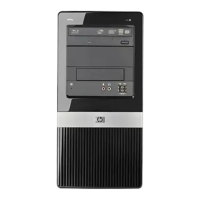

 To Next Page