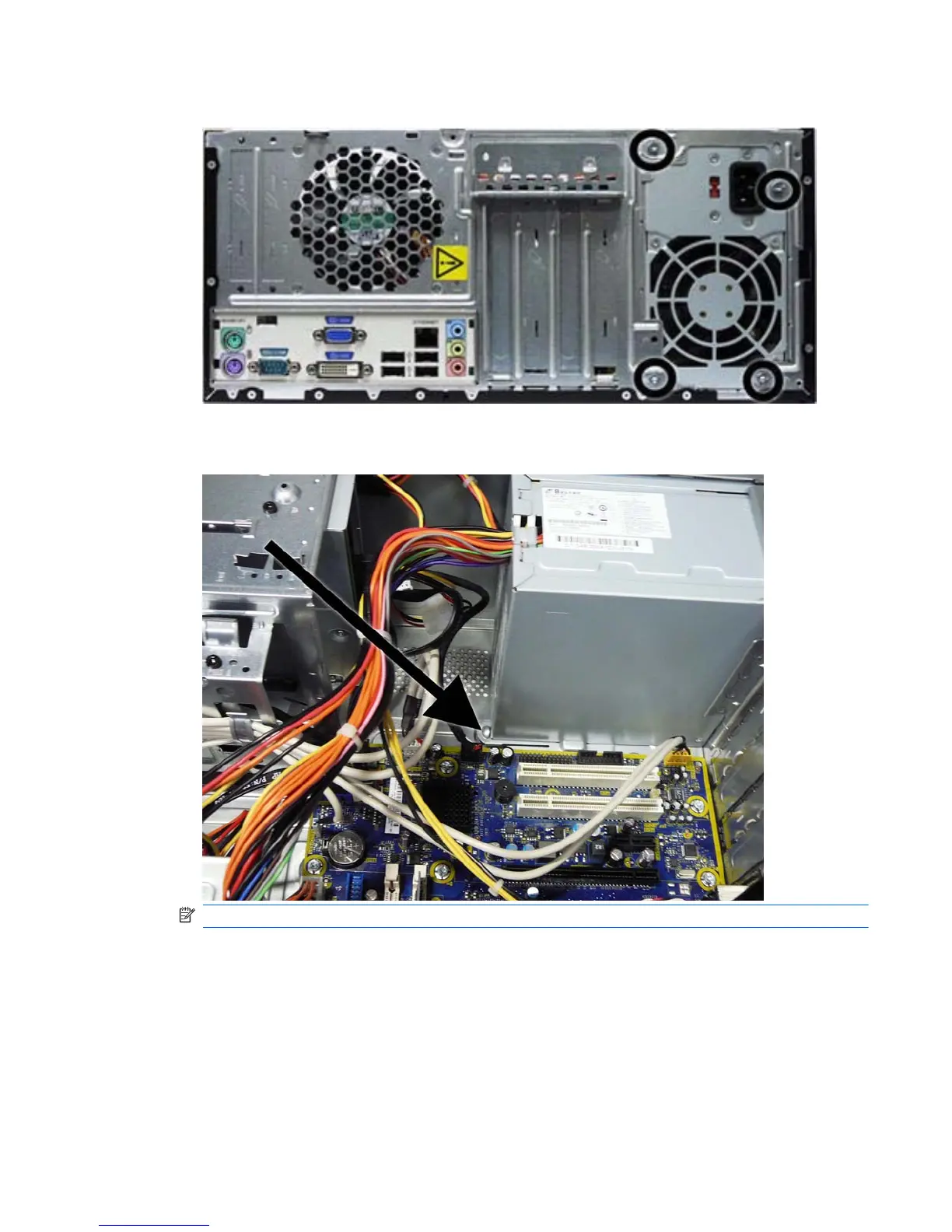
5. Remove the four screws that secure the power supply to the chassis.
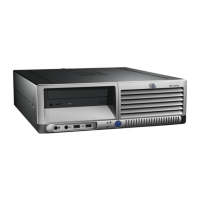
6. Inside of the unit, press the power supply release latch on the chassis base, and then lift up the
rear of the power supply to disengage it from the chassis.
NOTE: System board appearance may vary.
7. Slide the power supply toward the front/bottom of the computer, then lift the power supply out of
the computer.
To install the power supply, reverse the removal procedure.
Power Supply 59







 To Next Page