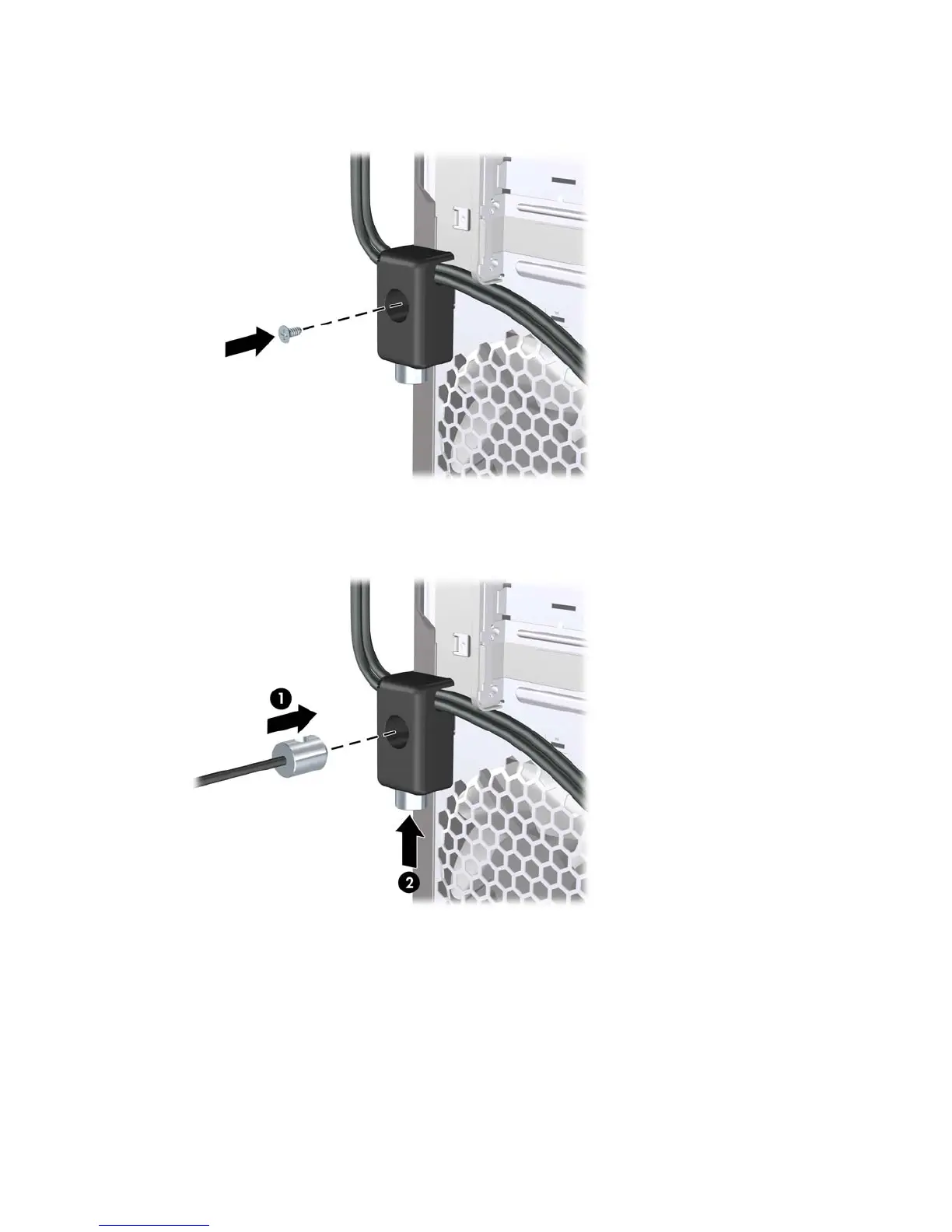
3. Screw the lock to the chassis using the screw provided.
Figure 6-35 Attaching the Lock to the Chassis
4. Insert the plug end of the security cable into the lock (1) and push the button in (2) to engage the
lock. Use the key provided to disengage the lock.
Figure 6-36 Engaging the Lock
66 Chapter 6 Removal and Replacement Procedures Microtower (MT) Chassis







 To Next Page