5
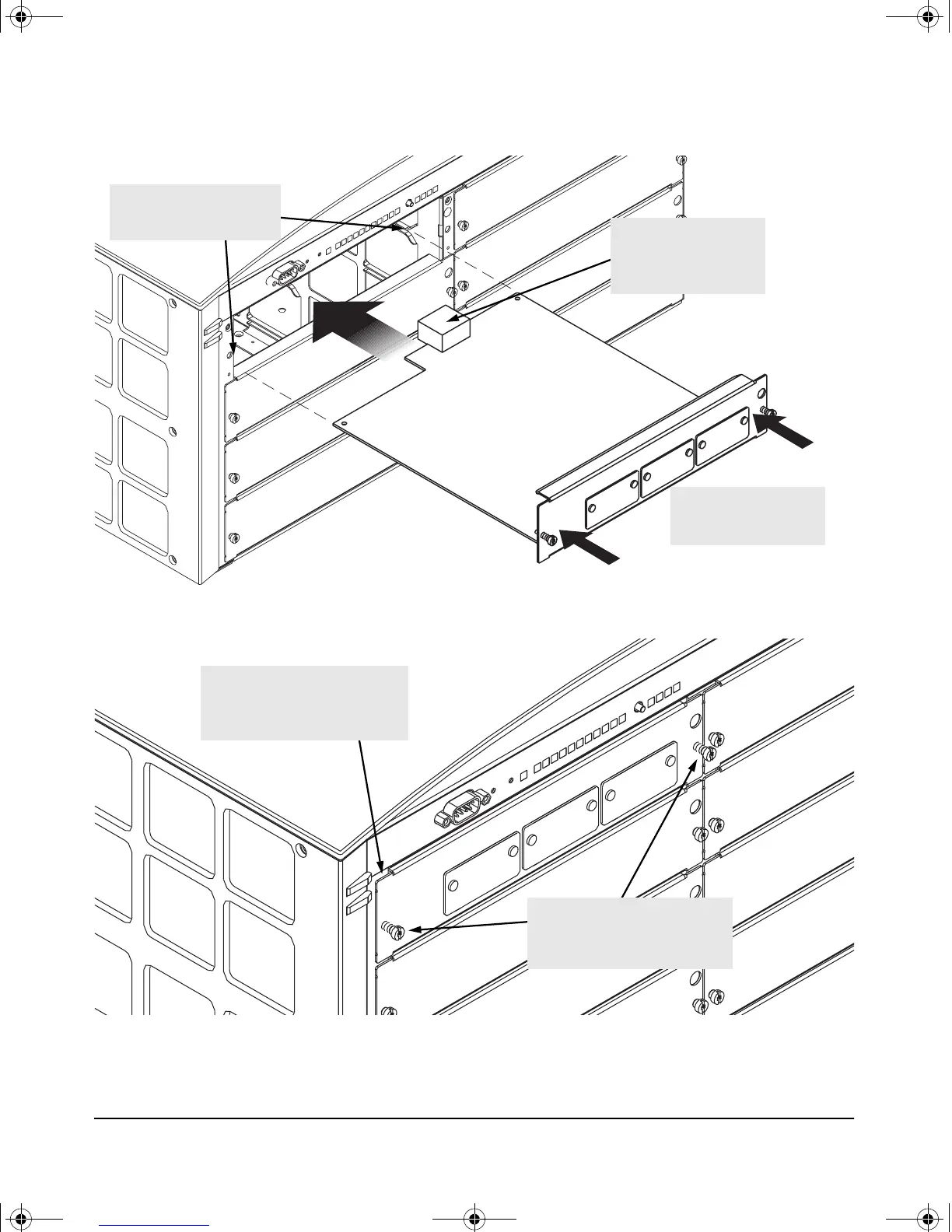
Installing the Module
1. Insert module into the
guides and slide it in until it is
fully inserted.
“Low-force” connector.
High insertion force is not
needed and should not be
used.
For best results, push
simultaneously near both
screws.
2. Then tighten the retaining
screws on the module until they are
secure, but do not overtighten
them.
The module is fully inserted when
the module bulkhead is contacting,
or very close to contacting
the face of the switch.
gamma-mod.book Page 5 Friday, April 6, 2001 10:23 PM











 To Next Page