8
Installing the Module
Supported Cable Types
Module Cable Type Maximum Length
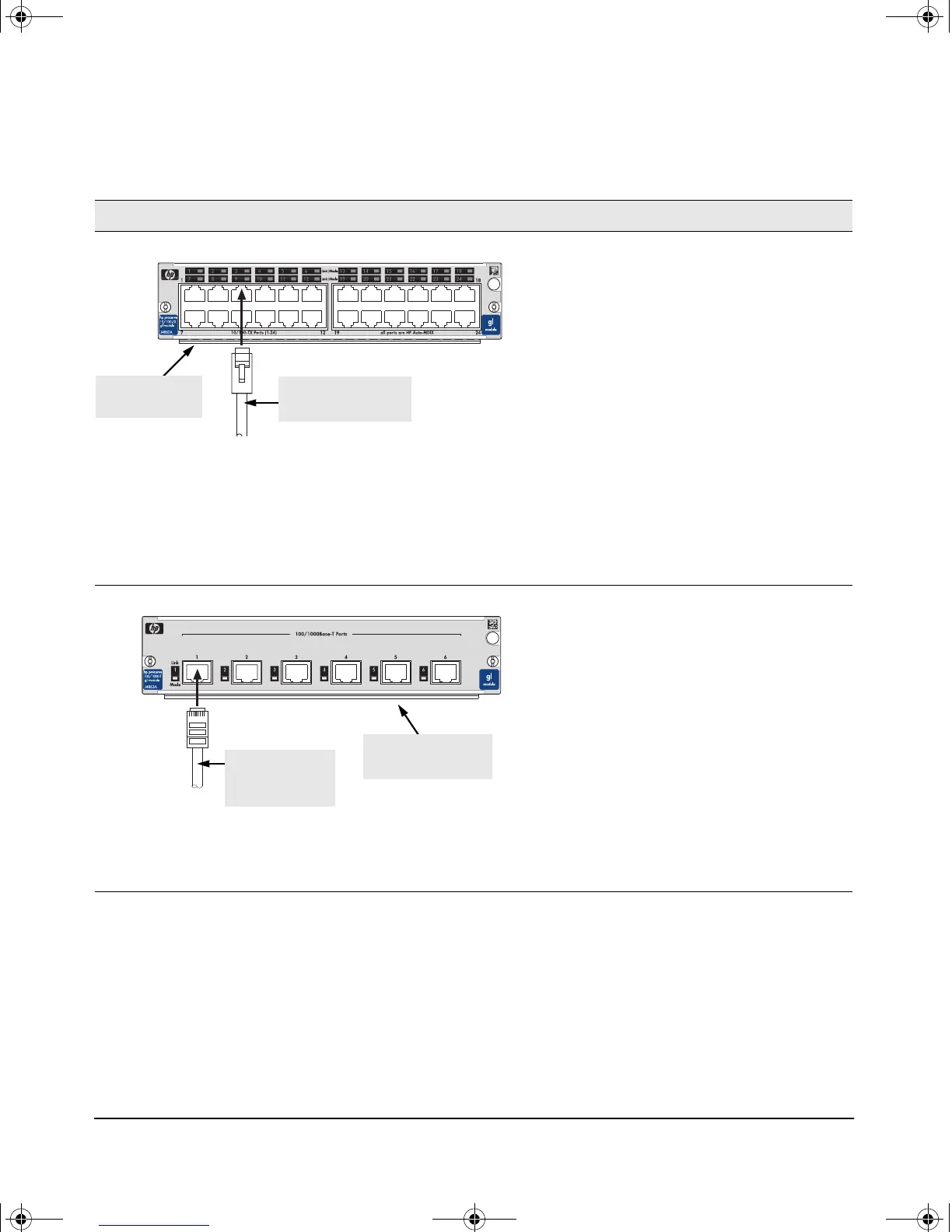
10/100-TX GL Module
10 Mbps operation:
category 3, 4, or 5,
100-ohm differential
twisted-pair cable
100 meters
(recommended)
100 Mbps operation:
category 5, 100-ohm
differential twisted-pair
cable
100 meters
Notes:
• The RJ-45 ports on this module have the HP Auto-MDIX feature. In the module’s default configuration, Auto, either
a straight-through or crossover cable can be used to connect the module to any other 100Base-TX or 10Base-T
device. See the Note on page 7.
• Since the 10Base-T operation is through the 10/100Base-TX ports, if you ever want to upgrade the ports to
100Base-TX, it would be best to cable the ports initially with category 5 cable.
100/1000-T GL Module
100 Mbps operation:
category 5, 100-ohm
differential twisted-pair
cable
100 meters
1000 Mbps (Gigabit)
operation: category 5E,
100-ohm cable is
recommended, although
category 5 cable may also
work.
100 meters
Note: In the module’s default configuration, Auto, either a straight-through or crossover cable can be used to connect
the module to either another Gigabit device or to a 100Base-T device. See the Note on page 7.
twisted-pair cable
with RJ-45 connector
RJ-45 ports with
HP Auto-MDIX
twisted-pair
cable with
RJ-45 connector
RJ-45 ports with
“Auto MDI/MDI-X”
gamma-mod.book Page 8 Friday, April 6, 2001 10:23 PM










 To Next Page