Hardware options installation 32
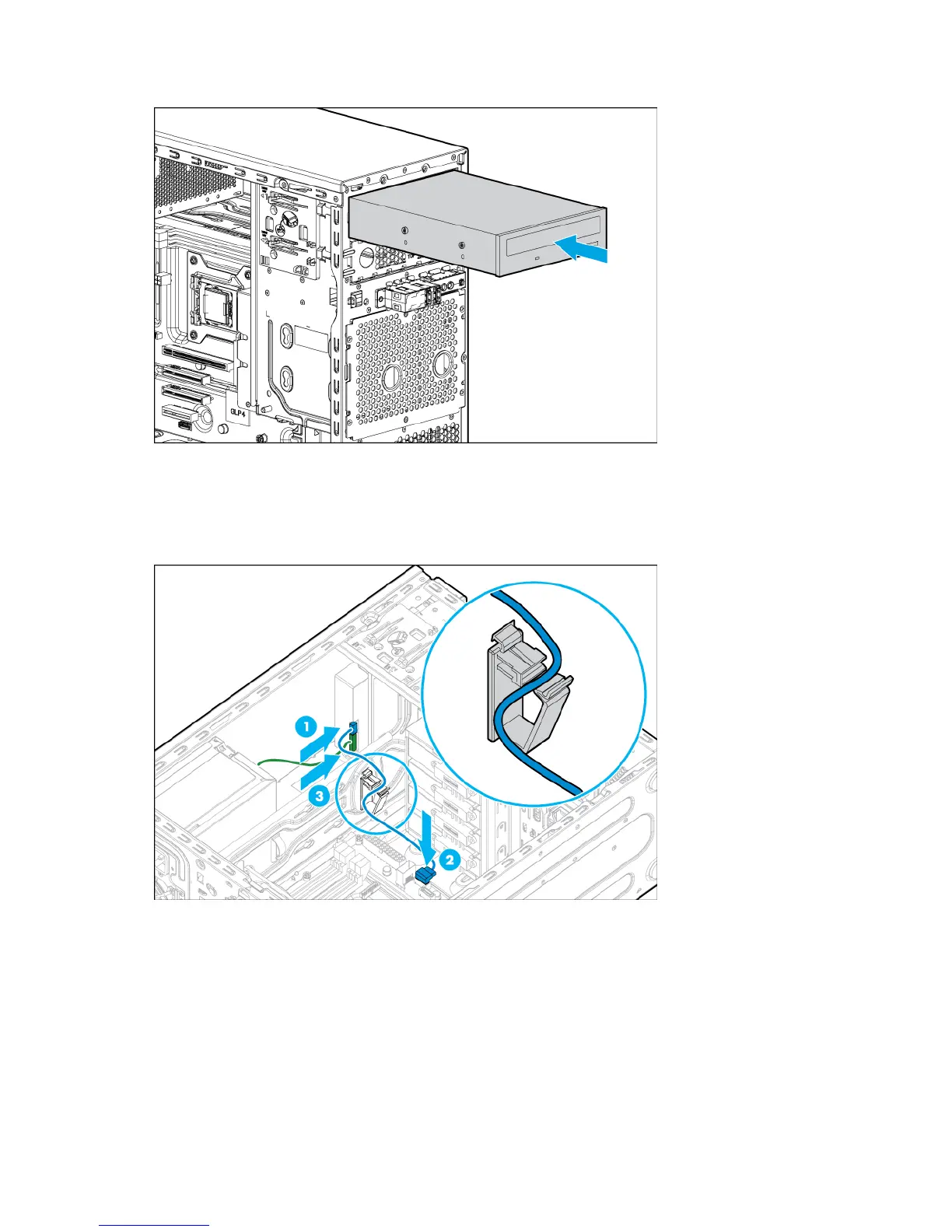
8. Install the optical drive into the media drive bay ("Optical drive cabling" on page 42).
9. Connect the drive cables:
a. Connect the power cable to the drive.
b. Connect one end of the SATA cable to the drive and the other end to the system board.
For cable routing information, see "Optical drive cabling (on page 42)."
10. Install the air baffle (on page 16).
11. Install the access panel (on page 15).
12. Install the tower bezel (on page 13).
13. Connect each power cord to the server.
14. Connect each power cord to the power source.
15. Power up the server (on page 13).


 To Next Page
 Loading...