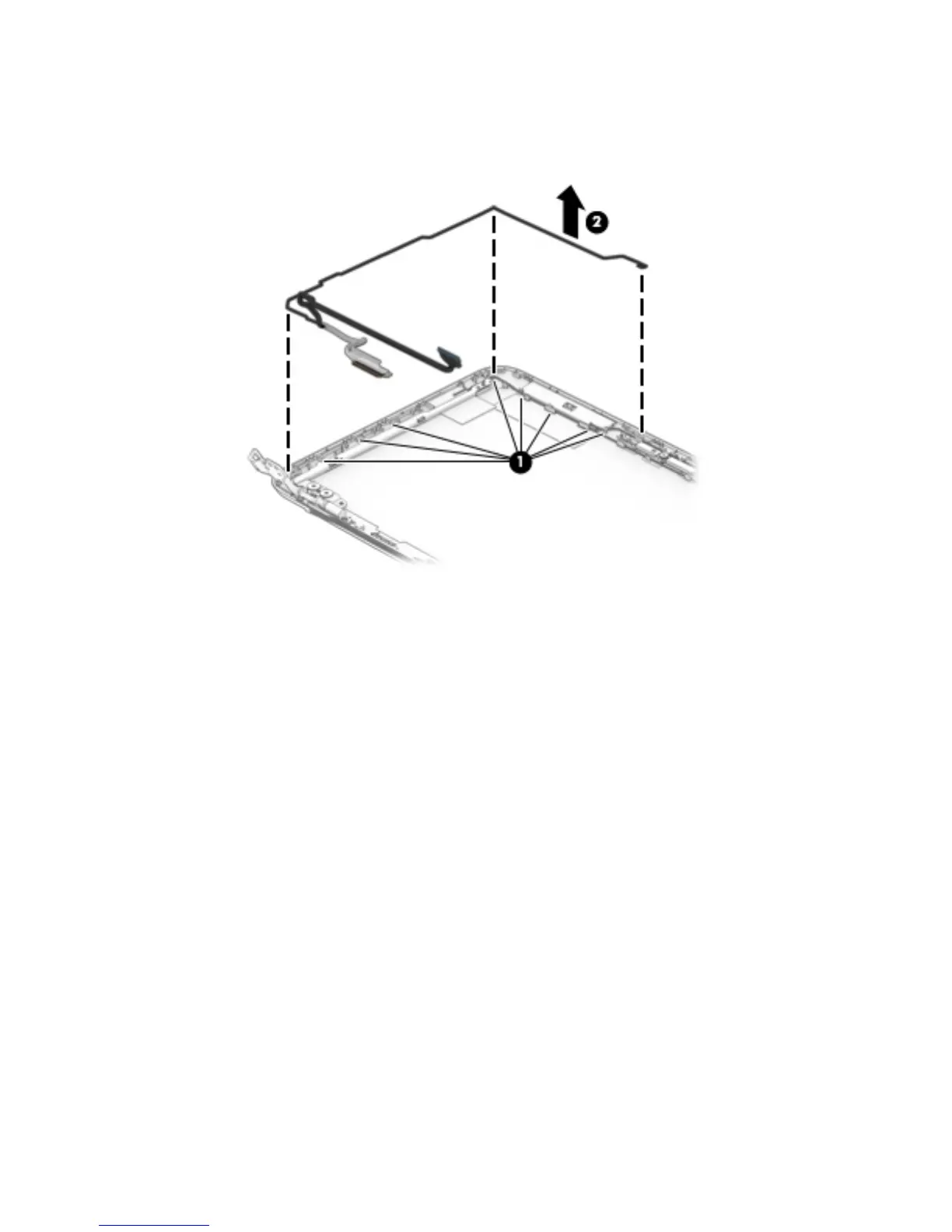
d. Remove the display panel cable (2).
The display panel cable is available using spare part number 792892-001 and includes the
webcam/microphone module cable.
10. If it is necessary to replace the display hinges:
a. Remove the display bezel.
b. Remove the display panel.
c. Remove the following screws that secure the display hinges to the display enclosure:
(1) Four Phillips PM2.4×3.6 broad head screws
(2) Two Phillips PM1.9×3.3 screws
Component replacement procedures 51







 To Next Page