Connecting the VGA Cable
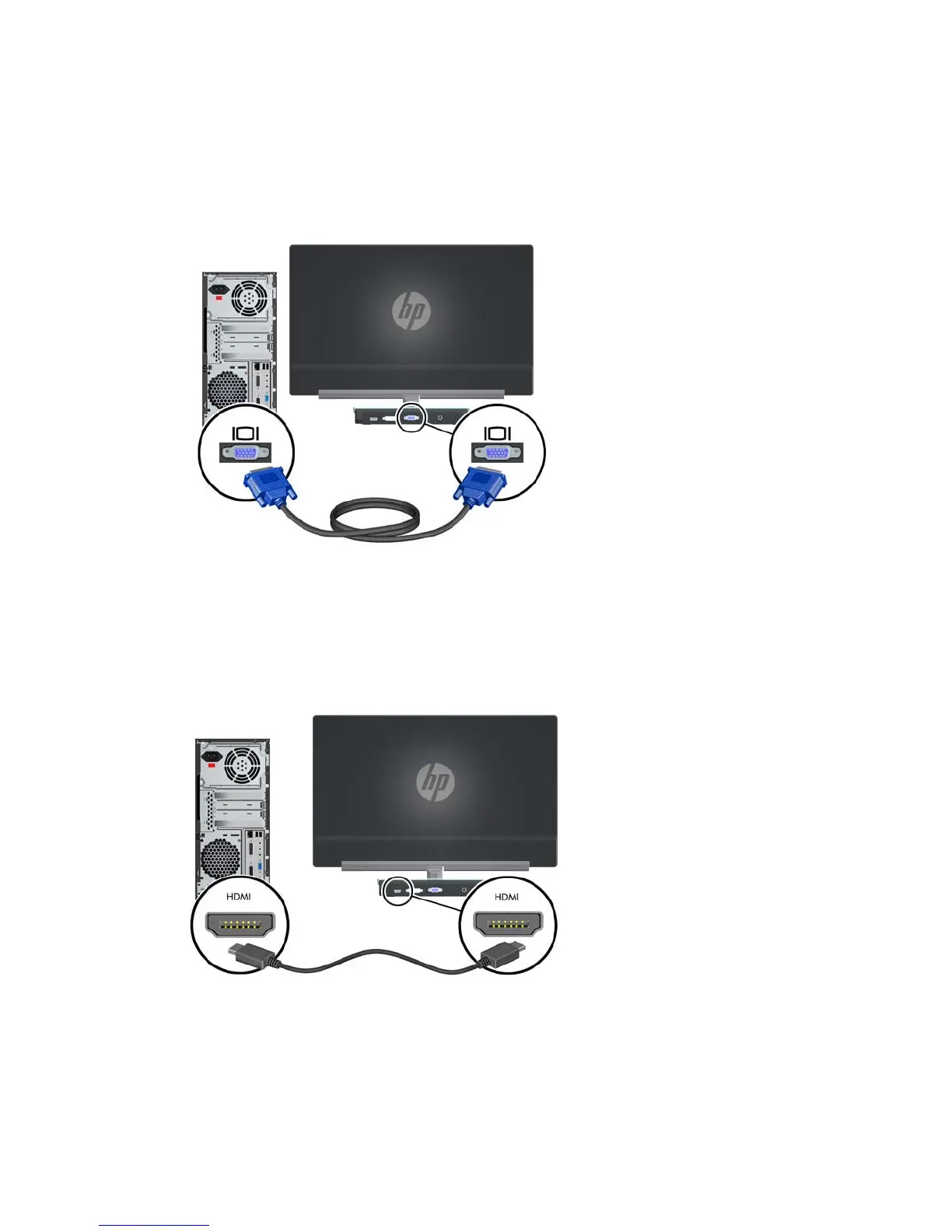
Connect one end of the VGA cable to the back of the monitor and the other end of the cable to the
input device. A VGA cable is provided.
Figure 3-2 Connecting the VGA cable
Connecting the HDMI Cable (select models)
Connect one end of the HDMI cable to the back of the monitor and the other end of the cable to the
input device. An HDMI cable is provided with select models only.
Figure 3-3 Connecting the HDMI Cable (only provided on select models)
ENWW
Connecting Monitor Cables
7


 To Next Page